


Archive
I got an error when launching ArcSoft ShowBiz. The installation went successfully and there were no errors reported during the process. But when trying to start the application, the error below pops up. I'm not sure but I want to know if this is a missing dll issue. Please send me resolution as well.
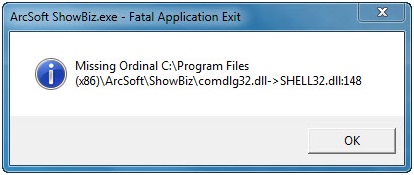
ArcSoft ShowBiz.exe - Fatal Application Exit
Missing Ordinal C:Program Files
(x86)ArcSoftShowBizcomdlg32.dll->SHELL32.dll:148
Read more
Can someone please help me with the error I am facing in Sky Go? I am constantly receiving an error stating, "Error code t: 3137 / c: 4110". I don't understand this and I cannot connect to Sky Go. Somebody told me that this is an issue with Microsoft Silverlight so I checked and it is installed already. What to do now?
Read more
I just installed Windows 7 and then configure my local and Microsoft account. But when I logged in to my Microsoft account, I was unable to access the local account anymore. Also, when I tried to change the time and the date, an error showed up. I am running my computer as the Administrator so I am confused on the error message. Please help.
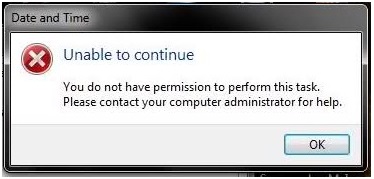
Date and Time
Unable to continue
You do not have permission to perform this task.
Please contact your computer administrator for help.
Read more

I am encountering an error on my Adobe Media Encoder CS6. The error appears when accessing the Help offline. I'm not sure why I can't open it. For all I know, the Help Manager is installed when a PDF has been downloaded. Yet, it won't open. How can I fix this?
Here is the error message:
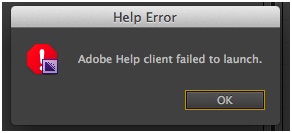
Help Error
Adobe Help Client failed to launch.
Read more

I opened Adobe Photoshop yesterday without any errors. But when I run it today, it returns with an error:
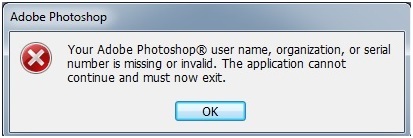
Adobe Photoshop
Your Adobe Photoshop user name, organization, or serial number is missing or invalid. The application cannot continue and must now exit.
I am not sure if this is a registration issue since I already registered my Photoshop online. And now, every time I tried to open the application, I have no choice but to hit the OK button on the error message then it will close and I cannot use it. How can I fix...
Read more
This error appears when trying to save a modified Dab Type variant with Plug-in method. This also appears when selecting Pattern Chalk variant to Glow Brush on my Mac PC. I already tried to restore the default variant but the error still appears. What is the workaround for this issue?
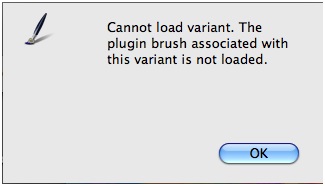
Cannot load variant. The plugin brush associated with this variant is not loaded.
Read more
I used PagePlus X6 before since it works fine with my Brother MFC-6490 AIO Scanner and also with my Adobe and Corel. However, when I used PPX7, I've got an error. Printing also works fine with PPX7 except for the scanner. But I don't want to change any of the scanner settings. How can I resolve this? The error given is:
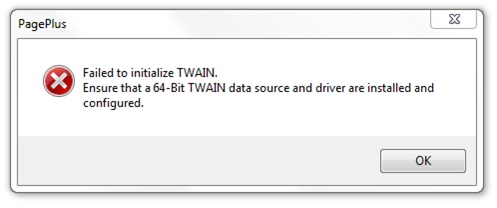
PagePlus
Failed to initialize TWAIN.
Ensure that a 64-Bit TWAIN data source and driver are installed and configured.
OK
Read more

Recently, I downloaded Flash CS4 Pro Trial Version. When I tried to install, it shows an error:
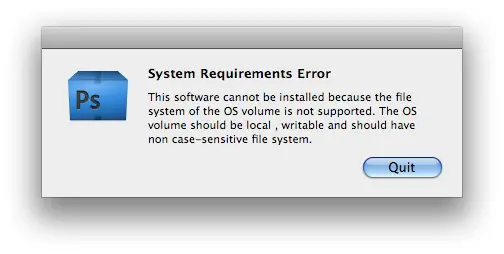
System Requirements Error
This software cannot be installed because the file system of the OS volume is not supported. The OS volume should be local, writable and should have non case-sensitive file system.
Quit
I am running OS X Leopard with Intel Processor. I don't understand the error so can someone please tell me more information about it and how I can resolve it. Thanks.
Read more
I am running Mac OS X Server 10.7 with calendar server on it. When some of my clients received an invitation on a mail attachment which is a .ics file, and then include this event to the iCal, the error below will appear and I don't know why it incurs. So can someone please help me in resolving it?
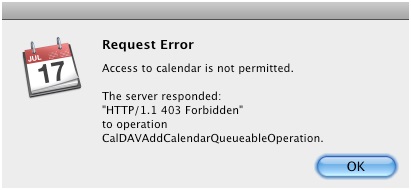
Request Error
Access to calendar is not permitted.
The server responded
"HTTP/1.1 403 Forbidden"
To operation
CalDAVAddCalendarQueueableOperation
Read more

I have a problem with my Adobe Lightroom 2.7. I am running it with my OS X 10.6 and it crashed while I am choosing a photo. So I forced close it and restarted the program. But upon opening I was notified with an error:
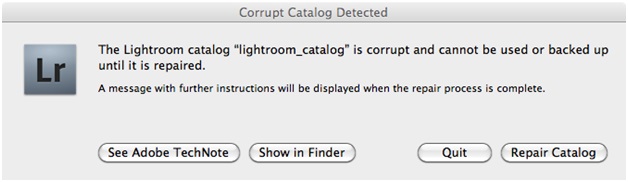
Corrupt Catalog Detected
The Lightroom catalog "lightroom_catalog" is corrupt and cannot be used or backed up until it is repaired.
A message with further instructions will be displayed when the repair process is complete.
See Adobe TechNote Show in Finder Quit Repair Catalog
How can I fix it? None of the buttons on...
Read more
Latest Articles

How T-Mobile Postpaid Plans Improve 5G Connectivity And Mobile Value For Everyday Users

Skill-Based Slots Trend Or The Future Of The Industry

Top 7 Tech Features That Make Online Games Addictive (In A Good Way)
Latest Blogs

Top 10 New Laptop Entrants That Shook The Public

10 Facts About The Dark Web

Top 10 Latest Steam Cleaner Machines
Latest Tips

Top 10 Internet Monitoring Software

Top 10 Best Partition Manager Software
