No of visitors who read this post: 1517
Category: Windows XP
Type: Question
Your rating: None Average: 5 (23 votes)

Hi here,

Can anyone help? I have a Sony notebook, model PCG-FX802P with Windows Service Pack 1 operating system and wanted to upgrade it to Service Pack 2 since it was a bit slower, besides of many other complications. So I loaded Windows XP Service Pack 2 to my computer. The load was successful.

I came to realize there was a problem later when I installed a modem but it could not pick up any signals. The first thing I thought was that firewall had blocked the incoming connections but that was not the case. Next, I tried internet connection trouble shooting but I never went through. The message was that there were problems with LAN connection port.

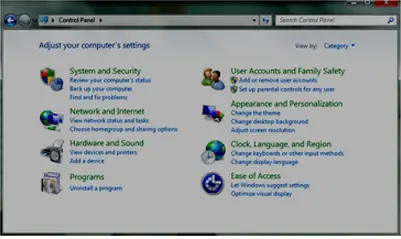
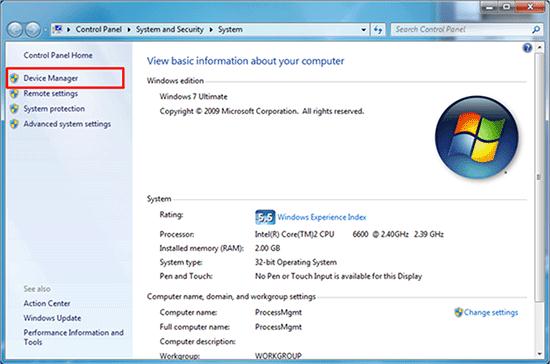
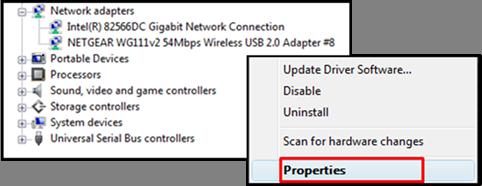
I tried to fixing it to no avail. I was sure that the problem was network connection oriented so I decided to take a look at the network drivers. I right clicked my computer > properties > device manager and under the network drivers I found out that the Microsoft PCI Simple Communications Controller driver was missing. I tried using universal drivers’ disk to locate and load the communication driver but it was not successful.

I also tried downloading the driver from the internet but the file format was not .xe. I tried converting it to a .xe over the net but the folder came empty with 0 kb each. I managed to download Sony VAIO network drivers hopping the drivers could be compatible to my model but they were rejected. My greatest fear is that this notebook model maybe extinct, it was bought in early 2003. I have tried to ask if anyone around has the same model so that I can borrow the drivers only to be disappointed. Is there any solution out there? I need some help. I will really appreciate your assistance.

Comment viewing options

Select your preferred way to display the comments and click "Save settings" to activate your changes.

# (Solution Accepted)

Jacobs Taylor,

  1. You need to install driver for your Microsoft PCI Simple Communications Controller. You can try the following links:
  2. http://www.nodevice.com/driver/PCG-FX802P/get77196.html.
  3. http://drp.su/drivers/notebooks/?v=Sony&m=PCG-FX802P(GB)&id=30089&l=en
  4. Download and install the driver and check back on the Device Manager if the exclamation point marker have gone to indicate that your driver have relieved the PCI Communication Controller.
  5. The next thing to do is re-install your modem driver. You can look at the the model name of your modem within Device Manager under modem. Once acquired, download the modem driver for it and install it.
  6. After these two drivers are installed, try connecting back to the internet

#

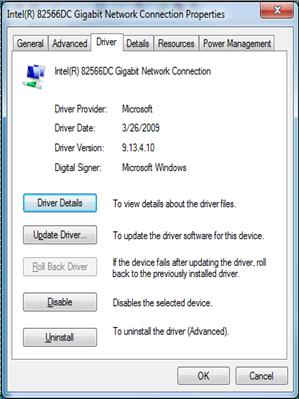
When you are using windows SP1 it seems that computer has recognized your driver. Here is a solution. Insert Windows XP CD. Then go to device manager and right click on the network card and select update drivers. Follow the below instructions.

E:\ must be your cd drive letter. And update your driver.

#

Hello Dear,

It is easy to install driver to your computer without the serial and model number. You don't even have to buy a CD to install the driver. Just visit the website below and download the Driver Identifier software and install it to your computer.
 
 
When done with the installation, run the program. It will scan your PC for all the drivers installed on your PC. After the process, it will direct you to the driver's homepage. Download the driver from that page and it will surely fix your problem.
 

#

Hello Jacobs Taylor,
Thanks that you have shared your problem with us. I hope i will satisfy you by my answer.
Dear you should have to get a cd of driver that you want to install.
But i am going to tell you very simple method. Just connect to internet and visit following
website.
www.driveridentifier.com
This website will provide a software "Driver Identifier" when you will visit it. Just
download this software and install it. It will scan your computer for drivers. And then it
will redirect you to drivers download page.
Download driver install and enjoy.
Thanks