


MS Office Outlook cannot open, Errors in the file

Greetings to all techyv people, I am posting here an issue about Microsoft Office Outlook, I have a hard time in running Microsoft Office Outlook I always meet an error that said could not start the program,
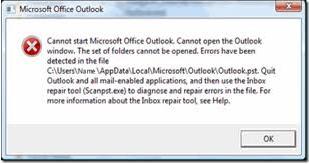
Please refer below to see all the text of the error.
Microsoft Office Outlook
Cannot start Microsoft Office Outlook. Cannot open the Outlook
Window. The set of folders cannot be opened. Errors have been detected in the file
C:UsersNameAppDataLocalMicrosoftOutlookOutlook.pst. Quit
Outlook and all mail-enabled applications, and the use the inbox
Repair tool (Scrampst.exe) to diagnose and repair errors in the file.
For more information about the inbox repair tool, see Help.
The error message I meet is always recurring every time I run Microsoft Office Outlook, I've been re installing the application for many times already, but same error keeps on flashing my screen,
I already run out of patience, so for those who have encountered the same error I have,
Please share your ideas on how you deal with this problem,
Thanks a lot in advance













