


Error in Officejet j4580 scanner

Hello,
I am getting this error message and I have finished everything it stated. Also I have downloaded software as well as drivers from hp but can’t scan with solution center.
Then I uninstalled and after that I reinstalled the software but get the same error. I am able to scan using windows scan and fax. I need a solution. I want to apply buttons on printer. Please help.
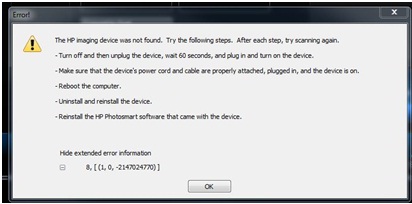
Error!
The HP imaging device was not found. Try the following steps. After each step, try scanning again.
– Turn off and then unplug the device, wait 60 seconds, and plug in and turn on the device.
– Make sure that the device's power cord and cable are properly attached, plugged in, and the device is on.
– Reboot the computer.
– Uninstall and reinstall the device.
– Reinstall the HP Photosmart software that came with the device.
Hide extended error information
8, [(1, 0, -2147024770)]
OK
Thanks a lot.













