No of visitors who read this post: 704
Type: Question
Author: Fern bonnie
No votes yet

While I was trying to setup the Virtual DJ PRO with a typical installation then the setup process is ended without any specific error message. It is just saying the setup wizard ended prematurely because of an error. The screenshot is shown here:
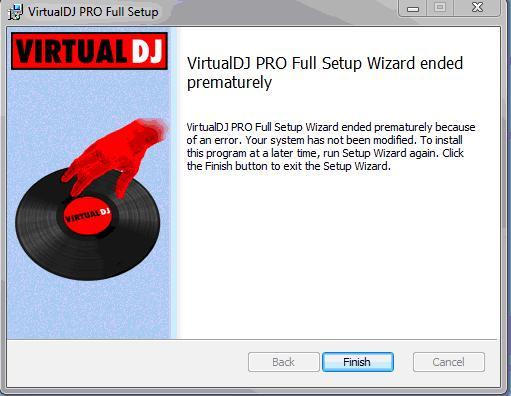
Error:

VirtualDJ PRO Full Setup      
VirtualDJ PRO Full Setup Wizard ended      
prematurely      
Virtual DJ PRO Full Setup Wizard ended prematurely because      
of an error. Your system has not been modified. To install      
this program at a later time, run Setup Wizard again. Click      
the Finish button to exit the Setup Wizard. 

I’ve no idea what it actually is. Can anyone please show me a way to setup the program successfully?

Comment viewing options

Select your preferred way to display the comments and click "Save settings" to activate your changes.

#

Hello

First uninstall the first version. After you done that try again. Start installation wizard. First step is setup the language. Then go to next button. After that chose correct place on your hard drive. Go next..next and at last click on install. Wait till installation process ends. And last step is FINISH. You also will need to have valid product key. Without it you are screw. After that make sure that you have enable that program on firewall protection. If you steel have problems that might be caused by some system error or antivirus protection. Try with disabling antivirus and try again. Or at last fix your system errors with some software.

Hope i helped to you.