

Here is my problem with Microsoft Visual Studio. I have been getting this error message from past a few days and hope some expert here would help me with this.
I have Microsoft Visual Studio 2008 installed on my Windows 7 Pro machine. Initially all the options used to work fine. But now when I try to do a search or try to go to some help directories I get an error message that there is no interface found.
I am sure it was working before. Please help.
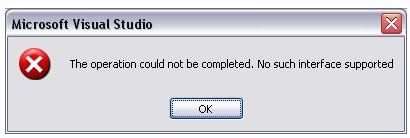
Microsoft Visual Studio
The operation could not be completed. No such interface supported.

- Login or Signup Now to post comments

This is a common error. Either your installation is corrupt or you hit upon a bug. Try re-registering actxprxy.dll file in the Windows\System32 directory. See if the problem is solved. If the problem remains the same then try to install a new and fresh copy of Visual Studio 2008. Good LUCK!
It seems that the program installation of Microsoft Visual Studio has a problem. Maybe you did not notice when it was still working before the last time you are using it an unexpected error happened while you are using it or maybe when you close the program. It’s mentioning an unsupported interface in the error dialog box. Maybe the error happened in the background that is why it is unnoticeable.
Try uninstalling Microsoft Visual Studio then run a disk check after.
Install again Microsoft Visual Studio.
Regards
Sharath Reddy








