I just created a file using Microsoft Excel.
I was going to send it through Excel but it said "No profiles have been created. To create a new profile, use the Mail icon in the Control Panel".
What does it mean?
How can I send my file through Excel?

- Login or Signup Now to post comments

Hi Dear,
I will let you know how to send a mail through Excel 2007.
Solution 1)
If you want to send it through your e-mail like Yahoo, Gmail etc…
You can send it as an attachment.
OR
Solution 2)
If you want to send it through Excel, I’ll explain you how to do that.
First of all you have to create an e- mail account through your Microsoft Outlook or Outlook Express.
I’ll let you know how to create an e-mail through Microsoft Outlook.
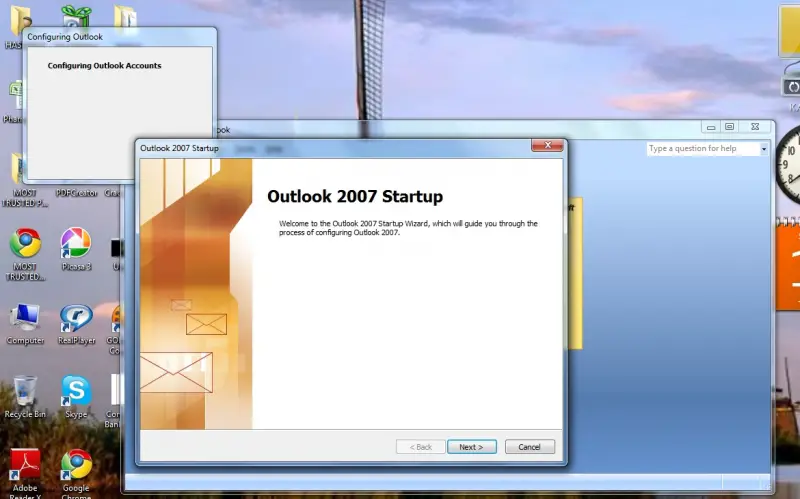
Go to your Microsoft Office package folder and click on Microsoft Outlook.
If you are not setting an e-mail account through MS outlook create new account as follows:-
First it will show like this.
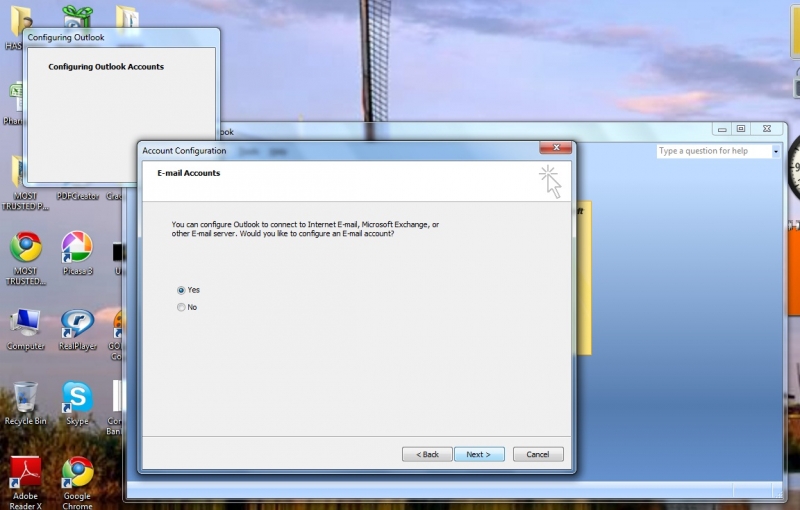
Click Next. Then select Yes. It is automatically selected. Then Click Next.
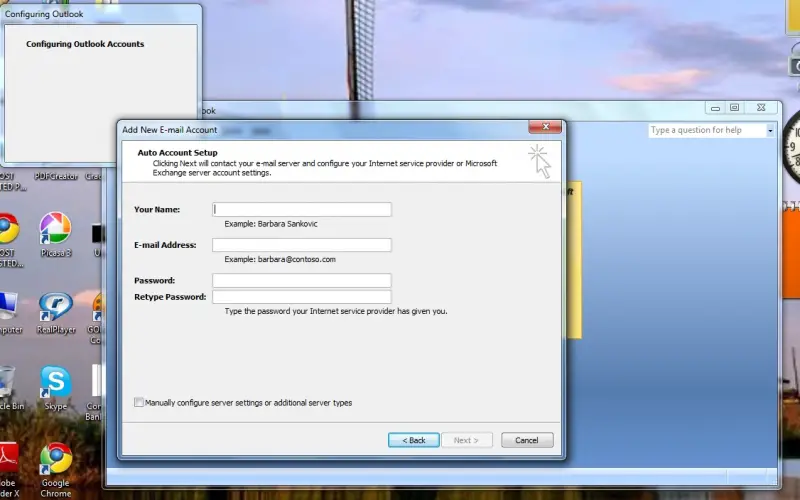
Then it will open a window like this.
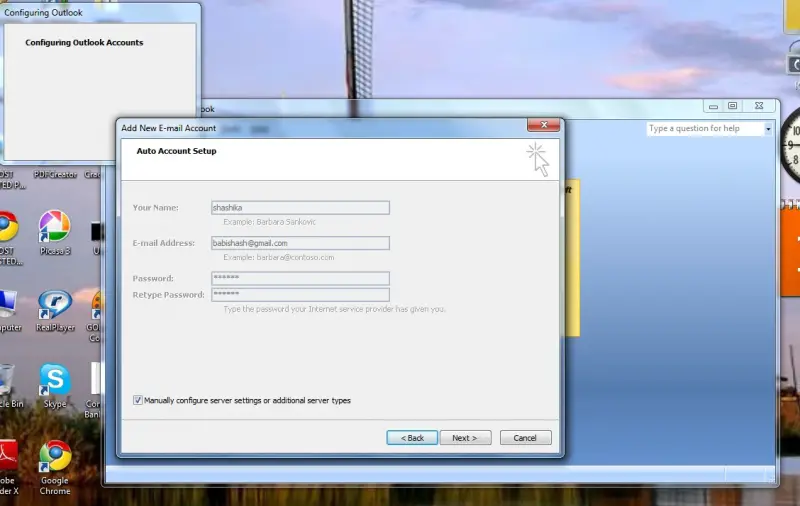
Fill the form. Then put a Tick to the small box appearing in the Left side corner. (Manually configure server settings or additional server types)
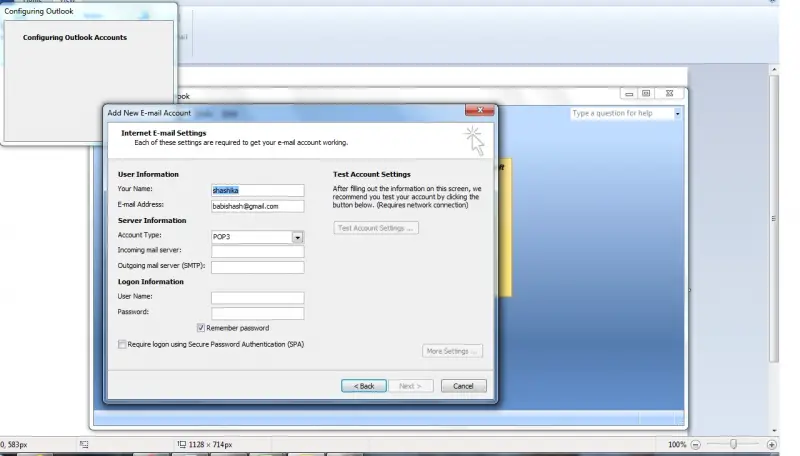
After that it will appear a window like the following picture.
Fill that form also.
If you doesn’t know about your Account Type, Incoming mail server, Outgoing mail server (SMTP), ask them from your Internet Connection provider. They will tell you.
Then click Test Account Settings.
If you did it in the right way your new MS Outlook e-mail account is ready to use.
After you create your MS Outlook e-mail account send your Excel sheet through Excel….