

No of visitors who read this post: 203
Type: Question
No votes yet

How do font files become corrupted? I don’t even know how to locate them. My problem isn’t with the font itself but the style like setting it to “bold”, “italics”, or “regular”.

Sample error messages say a font, TAHOMA as the example on the picture I attached, does not support styles. Does it mean all my font files are corrupted? Do I have to reinstall everything? Aren’t they important system files?
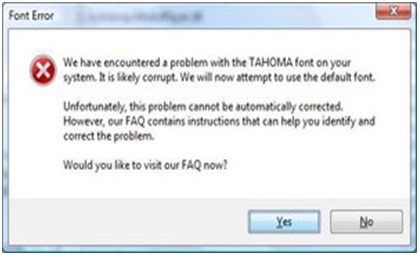
Font Error

We have encountered a problem with the TAHOMA font on your

system. It is likely corrupt. We will now attempt to use the default font.

Unfortunately, this problem cannot be automatically corrected.

However, our FAQ contains instructions that can help you identify and

correct the problem.

Would you like to visit our FAQ now?

                                                              Yes               No

I’m afraid minor changes might have big impacts on my PC.

Comment viewing options

Select your preferred way to display the comments and click "Save settings" to activate your changes.

#

Hi,

The error message indicates that you have not installed the TAHOMA font or the font is corrupted. It may also happen if you install a non standard Windows TAHOMA font. However you need to do the following:

For Windows XP

                -              Go to Control Panel – Appearance and Themes – Font File (at the top left hand corner)

For Windows 7/Vista

                -              Go to Control Panel – Appearance and Personalization - Install or remove a Font

Her you will find there TAHOMA font and you need to remove it or those (all TAHOMA font). And again get the said font installed. I hope it will be ok.

I hope you understand it.









