

No of visitors who read this post:
272
Category:
Internet/Email Software
Type:
Question
Author:
Devin Hagyard
Since Skype is one of the most secure communication means, I actually attempted to download it to my system. To my dismay, I received this error during the tedious installation.
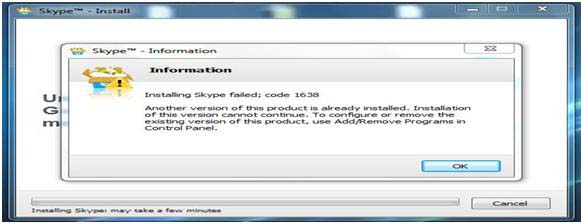
Installing Skype failed; code 1638
Another version of this product is already installed. Installation of this version cannot continue. To configure or remove the existing version of this product, use Add/Remove Programs in Control Panel.
How can I correct the error? Why did Skype fail to install?

- Login or Signup Now to post comments

Dear Devin,
You had this sort of message as you have already a version of Skype installed into your system. It s a conflict message in between two version of Skype. Before you install this version you need to uninstall the other version of this soft wares. Here is the steps that need to follow to uninstall the soft wares :
Step One - Go to Start Menu
Step Two - Click Control Panel
Step Three - Open Add/Remove Program from control panel.
Step Four - Select desire software from the list.
Step Five - Click Uninstall >> Next and follow the simple procedure.
After uninstall completed, try to install the software again. This time you will install it. I hope this will help you.








