Hello!
I have received an error while inserting Capacitive Software. When I am about to preview the slide, the error appeared. Please see the picture below for your reference. Your help will be highly appreciated! Thank you!
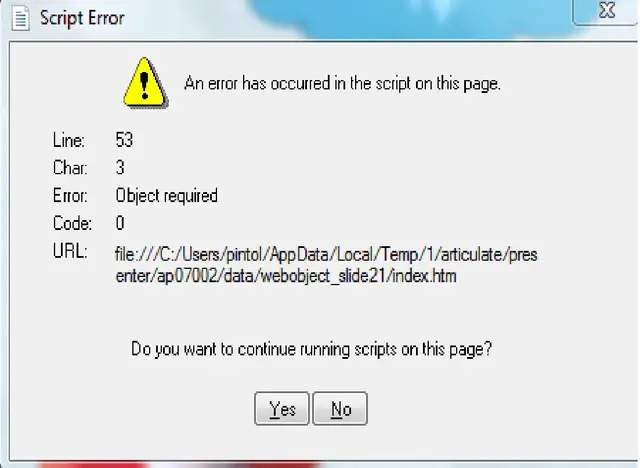
Error:
Script Error
An error has occurred in the script on this page.
Line: 53
Char: 3
Error: Object required
Code: 0
URL: Data/Local/Temp/1/articulate/pres enter/ap07002/data/webobject_slide21/index.htm
Do you want to continue running scripts on this Page?

- Login or Signup Now to post comments

Hi Kathy Stone
When you inserting Capacitive Software you received an error because your software is missing file. Now you can recollect software then Installed. hope your problem solved.
Hello Kathy,
I guess you are using Internet explorer while previewing the slide. It’s a common issue. You can directly avoid this by changing your web browser. But there is another way you can chose if you want to keep using IE. You can block this error by following these steps,
1. Open IE and click on “Tools”.
2. Click on "Internet Options".
3. Choose the "Advanced" tab on the top of the "Internet Options" dialogue box.
4. Scroll through the "Settings" and find "Display a Notification About Every Script Error" box.
5. Uncheck the "Disable Script Debugging" box from "Display a Notification About Every Script Error" box.
6. Click “Apply” and then “OK”.
After doing this, you won’t see this error message again.
I hope this will help you.