

Hi,
Have anyone here trying to install Sample Database from Magento. Have you succeeded? I have a fresh copy of Magento installed. Then I tried to download the sample database provided version 1.2. My Magento version is 1.5+.
I succeeded installing Magento previously, and I was able to log in to the Backend using admin account. But when I load a SQL file contains sample database provided from Magento site. I was unable to log in to the Backend anymore using admin account. I'm sure that I don't mistype the password. Any suggestion what's happened? Thanks.
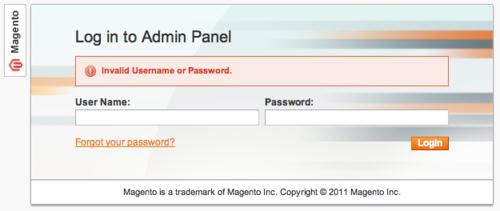
Invalid Username or Password.

- Login or Signup Now to post comments

Hi,
In this case you need to make perfect relation for PHP page with SQL database. I am giving an example here:
<?php
$hostname="localhost";
$user="root";
$pass="";
mysql_connect($hostname,$user,$pass)or die ("dead 1");
$db="rezu";
mysql_select_db($db)or die ("dead 2");
?>
First Solution
In different forums I saw they mentioned connecting as http://localhost/magento/index.php/admin will fail but if you connect as http://127.0.0.1/magento/index.php/admin it will work. But in my case IP address in the URL did not work too.
I made it work into whenever I changed my browser. Suppose I installed magento using google chrome browser and I open admin url into my firefox window and it worked. Though in the firefox the url http://localhost/magento/index.php/admin did not work, but url http://127.0.0.1/magento/index.php/admin worked fine.
Second Solution
Go to app/code/core/Mage/Core/Model/Session/Abstract/Varien.php file within your magento directory.
Find the code:
$this->getCookie()->getLifetime(),
$this->getCookie()->getPath(),
$this->getCookie()->getDomain(),
$this->getCookie()->isSecure(),
$this->getCookie()->getHttponly()
);
and replace with
$this->getCookie()->getLifetime(),
$this->getCookie()->getPath()
//$this->getCookie()->getDomain(),
//$this->getCookie()->isSecure(),
//$this->getCookie()->getHttponly()
);
After this save the file. And try to login into the admin.
I think it will work now.








