


DxO Optics Pro 6.6 gives an error when processing a photo twice
Asked By
0 points
N/A
Posted on - 01/04/2014

Hello Experts,
I recently downloaded the DxO Optics Pro and was able successfully install it and use it. And I am very happy with the outcome. However, I face a problem when attempting to process a photo twice. I am not allowed to rename the saved file inside DxO Optics Pro. Instead I get an error message that says the previously processed file will be overwritten. Why is it so? I now try to rename the firstly processed file before attempting to process it a second time. This I don’t find a convenient thing to do. Please can anyone suggest an alternative method to fix this problem? Regards
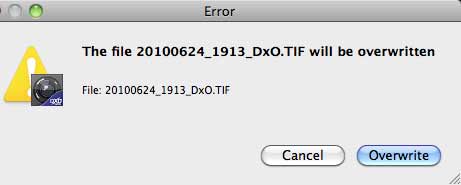
The file 20100624_1913_DxO.TIF will be overwritten
File: 20100624_1913_DxO.TIF












