


Autodesk Navisworks Manage 2013 error

Hi,
I am running Win 7 OS and installed Autodesk Navisworks Manage 2013 but I get an error message opening Revit model in Autodesk Navisworks Manage 2013. I am unable to resolve the following problem so need your assistance. Any idea would be greatly appreciated. Thanks in advance.
Recently, I just prepared Ravit Model using Autodesk Navisworks Manage 2013 but now I am getting this error message when I try to open this model in Autodesk. What could be the problem? I have tried to reinstall the program but I can’t fix this issue. Suggest me another way.
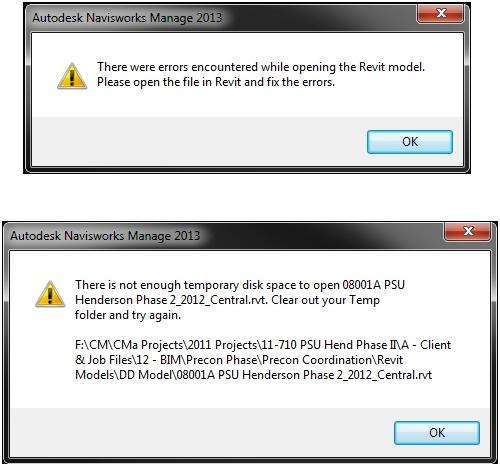
Autodesk Navisworks Manage 2013
There were errors encountered while opening the Revit model.
Please open the file in Revit and fix the errors.
OK
There is not enough temporary disk space to open 08001A PSU Henderson Phase 2_2012_Central.rvt. Clear out your Temp folder and try again.
F:CMCMa Projects2011 ProjectsUl-710 PSU Hend Phase IftA – Client &Job FilesU2 – BIMPrecon PhasePrecon CoordinationRevit ModelsDD Model8001A PSU Henderson Phase 2_2012_Central.rvt
OK












