


MultiMedia Applications
Hi,
I have only problem when I try to import video files in Final Cut Pro 7.
What could be the cause of this annoying error message.
I need an expert advice so that I may fix this error.
Any help would be really appreciated.
Thanks in advance.

Warning “BDMV” contains unsupported media or has an invalid directory structure.
Please choose a folder whose directory structure matches supported media.

- 955 views
- 2 answers
- 0 votes
Hi experts,
Why am I getting this error message when I try to add transitions in Final Cut Pro X.
Now I am unable to work on my projects anymore.
How can I fix this annoying error message?
Any idea would be appreciated.
Thanks.

There is not enough extra media beyond clip edges to create the transition.
Do you want to overlap (ripple trim) your media to create the transition?
This will decrease the total duration of your project.

- 3916 views
- 1 answers
- 0 votes
Hi,
I am constantly getting this error message using Neat Video noise remover plugin in FCP7on some Apple pro Res 422HQ footage keyed with Boris Chromakey plugin.
I have tried many ways to solve this issue.
I need your assistance to fix this.
Thanks in advance.
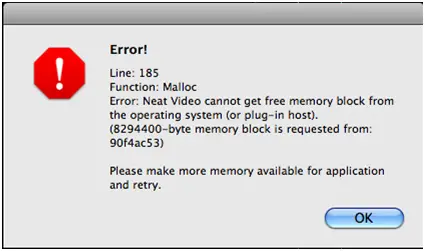
Error!
Line: 185
Function: Malloc
Error: Neat Video cannot get free memory block from the operating system (or plug-in host).
(8294400-byte memory block is requested from:90f4ac53)
Please make more memory available for application and retry.

- 3264 views
- 1 answers
- 0 votes
Hello,
I receive the following error message using subtitle editor Aegisub.
The video file format is AVI and the problem starts when I try to merge them into one MKV file.
The Aegisub can no longer open the video.
Can you provide me any suggestion?
Thanks in advance.
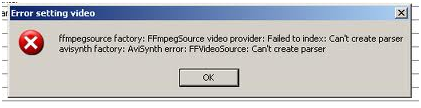
Error setting video
Ffmpegsource factory: FFmpegSource video provider: Failed to index: Can’t create a parser Avisynth factory: AviSynth error: FFVideoSource: Can’t create the parser

- 843 views
- 2 answers
- 0 votes
Hello,
Last day, I was browsing a variety of sites and suddenly an error message appeared saying “A script in this movie is causing Adobe Flash Player 10 to run slowly.
If it continues to run, your computer may become unresponsive.
Do you want to abort the script”?
I removed Adobe Flash Player and reinstalled this but the same issue persists.
How can I fix this error?
Suggest me please!
Thanks.
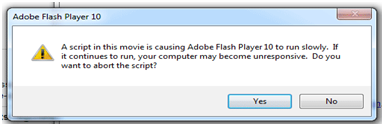
Adobe Flash Player 10
A script in this movie is causing Adobe Flash Player 10 to run slowly.

- 5793 views
- 1 answers
- 1 votes
Hi,
I was trying to capture video using Media Player Classic but an error message popped up.
I need an expert’s advice to resolve this matter.
Please provide any idea or solution to fix this.
Thanks.
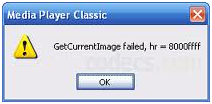
Media Player Classic
GetCurrentImage failed, hr = 8000ffff

- 734 views
- 1 answers
- 0 votes
Hi,
Recently, I bought a blue ray Disc and tried to make a backup but the error message displayed “DVD Shrink encountered an error and cannot continue”.
I searched for this solution but I need your help so please provide proper resolution. Thanks.

DVD Shrink 3.1
DVD Shrink encountered an error and cannot continue.

- 635 views
- 1 answers
- 0 votes
Hello,
I received this weird error message when I attempted to open my movie with Virtual Dub.
The error shows “Couldn’t locate decompressed for format ‘XVID’ (unknown)
Virtual Dub requires a video for Windows (VFW) compatible codec to decompress video”.
Any suggestion would be helpful.
Thanks.

VirtualDub Error
Couldn’t locate decompressed for format ‘XVID’ (unknown)
VirtualDub requires a video for Windows (VFW) compatible codec to decompress video.

- 982 views
- 2 answers
- 0 votes
Hello experts,
Why am I getting the following error message when I try to convert some video files in virtual dub?
I have tried many different video files but every time it gave me the same error message.
Can I get any way to resolve this issue?
Any assistance would be greatly appreciated.
Thanks in advance.
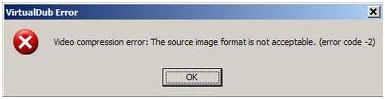
VirtualDub Error
Video Compression Error: The source image format is not acceptable. (error code -2)

- 715 views
- 1 answers
- 0 votes
I encountered this problem today, when I tried to launch PowerDVD 12 on my PC.
It just crashes when I open it saying that PowerDVD has encountered a problem and needs to close.
It was working fine, and now this error shows up.
Tried to find a solution online but none was found.
So can you please tell me why PowerDVD 12 quits after opening because I have no idea how to fix this.
Thank you for all your help.

- 706 views
- 1 answers
- 0 votes
Latest Articles

The Tech Behind Fast-Cycle Bet Games And Why Timing Matters

How T-Mobile Postpaid Plans Improve 5G Connectivity And Mobile Value For Everyday Users

Skill-Based Slots Trend Or The Future Of The Industry
Latest Blogs

Top 10 New Laptop Entrants That Shook The Public

10 Facts About The Dark Web

Top 10 Latest Steam Cleaner Machines
Latest Tips

Top 10 Internet Monitoring Software

Top 10 Best Partition Manager Software
