Hello,
I need a help. I love to play old games.
Unfortunately, all of my old disks are departing, I guess that may be 10 something years.
Fortunately I am receiving a key for Carma from Gog this year.
But I get the following problem.
I need your help to solve it.
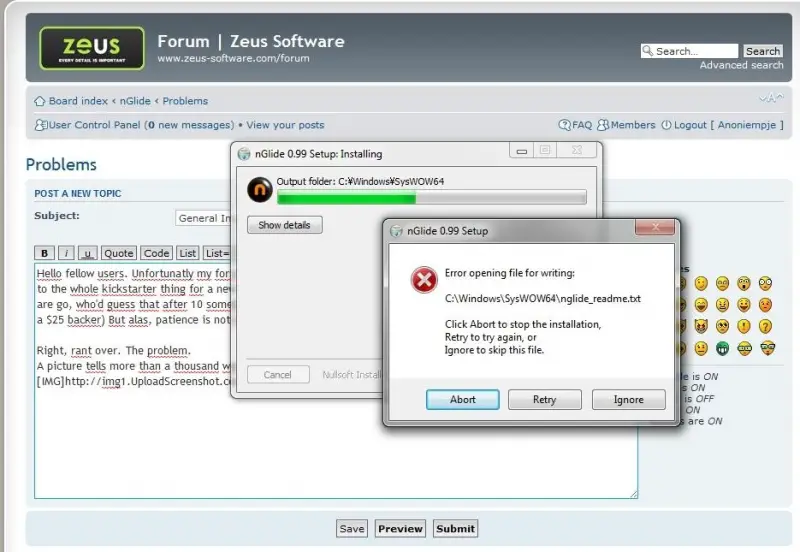
nGlide 0.99 Setup
Error opening file for writing:
C:WindowsSysWOW64nglide_readme.txt
Click Abort to stop the installation,
Retry to try again, or
Ignore to skip this file.
Abort Retry Ignore
I have used windows 7 64 bits. I have tried to run it in.
Please give a solution.
Thanks a lot.
Zeus Software – Windows 7 64 bit
Hello there buddy,
Upon seeing your problem it is very clear that a file is missing, you should locate this file so Zeus software can modify the syswow64,
I provided you a link for you to understand clearly what is syswow64 and where should you locate it in bit32 and 64 OS.
Here Is the step by step guide link for you.
Zeus Software – Windows 7 64 bit
Your installation process has failed and you can solve this problem by following some steps.
-
You should have copied the Zeus install files to this location C:ProgramDataXidiconeZeus
-
Then you have to run the program and again copy the files from the above folder to this location C:Users<UserName>AppDataRoamingXidiconeZeus
-
The id will be <username> in this case.
-
Make sure that the folder is populated.
I hope you will resolve this problem to follow the above steps in the right way.