I want to download the Linux Live USB Creator 2.8.12 to install a Linux distro on a bootable USB stick. Someone told me that the software is complex. But I’m interested in the wizard type style of the software. What’s the specialty of this style?
Wizard type style of Linux Live USB creator
Hi Ameliabelindaa,
USB Creator 2.8.12 is a free open-source tool for making bootable USB Linux distributions. USB Creator 2.8.12 is not complex at all here is a tutorial for using it :
1) You need to Download the latest version here http://www.linuxliveusb.com/en/download and install it.
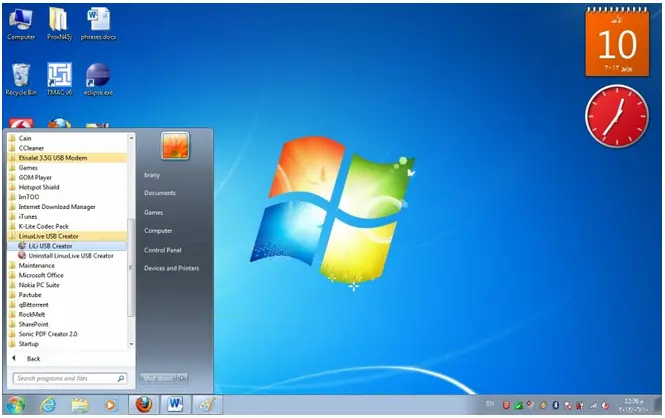
2) Start the program from your start menu as administrator (Right click -> Run as Administrator).
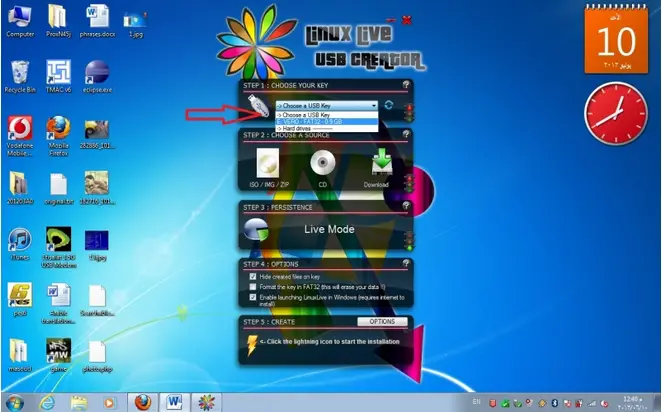
3) Choose your USB drive you want to boot Linux from.
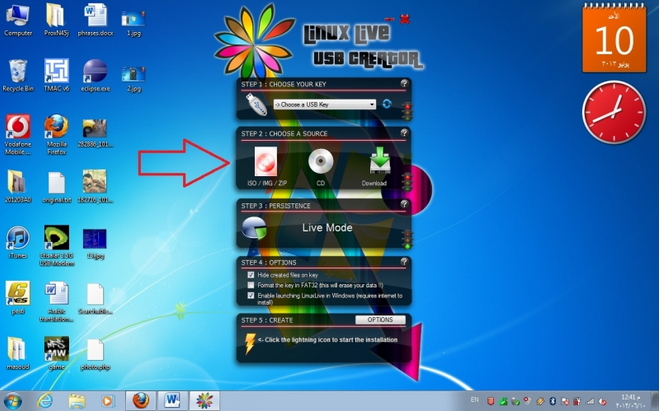
4) Browse to select a source ISO image, CD, or folder of your distribution which you can get from the distributor website or you can even download you distribution by selecting it and pressing download button.
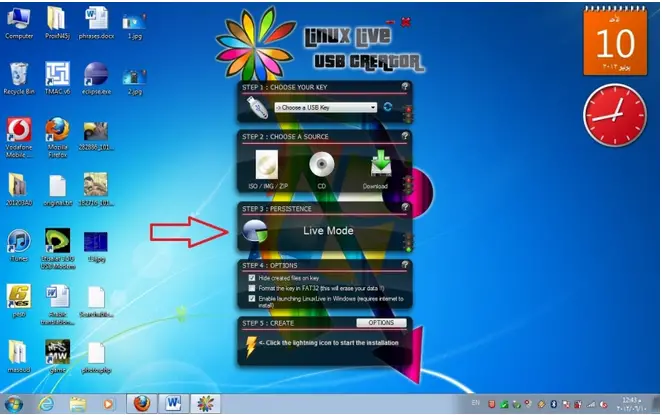
5) Choosing the size to make persistent (which makes you able to save files and not losing them on reboot) Live mode means no persistent space making it not possible to save files and not lose them on reboot.
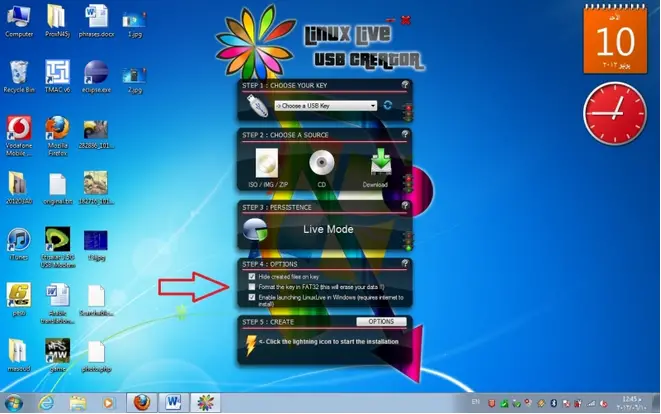
6) Modifying the options you want (optional).
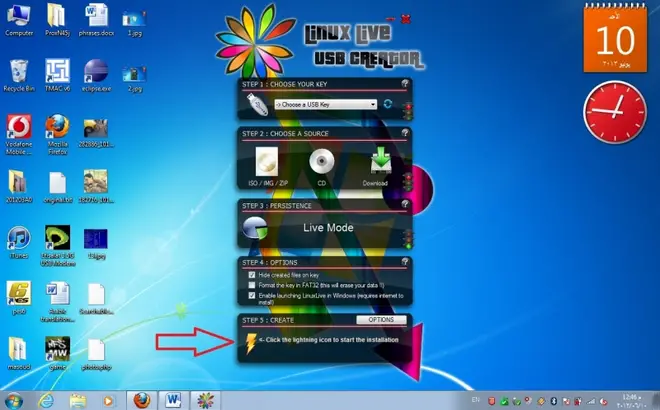
7) Pressing the lightning button to start the process.
Notice the traffic lights next to each step to indicate if it's done properly or not green light mean done.
And that's it, not a bit of complexity.