No of visitors who read this post: 178
Category: Windows OS
Type: Question
No votes yet

To launch properly the TurboTax is not executing
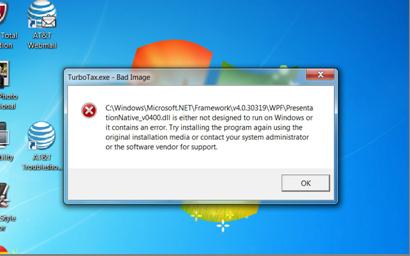
Error:

C:\\Windows\Microsoft.NET\Framework\v4.0.30319\WPF\PresentationNatvie_v0400.dll is either to run on Windows or it contains an error.Try installing the program again using the original installation media or contact your system administrator or the software vendor for support

Comment viewing options

Select your preferred way to display the comments and click "Save settings" to activate your changes.

#

What’s the operating systems you are using now, you not mentioned in your questions. It is very important for your better solvency. However, you have to follow the instructions here.

For get the solvency, make sure you have access to hidden files and folders,

After that,delete the following bolded folders by browsing to them, right-clicking the folder, and choosing Delete:

Windows 7 or Vista

-C:\Users\[Your username]\AppData\Roaming\Intuit\TurboTax\TY11\[version]\Cache - replace [version] with Basic, Deluxe, etc.

Windows XP

-C:\Documents and Settings\[Your username]\Application Data\Intuit\TurboTax\TY11\[version]\Cache - replace [version] with Basic, Deluxe, etc.

When finished, restart your computer, and then try to launch TurboTax again.

If it not works- http://www.ehow.com/how_2091853_install-turbotax.html    

Or see the video tutorial here- www.youtube.com/watch?v=v3kiB5WWOjg  and www.youtube.com/watch?v=rKilcaOrP0o