No of visitors who read this post: 321
Type: Question
No votes yet

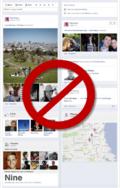
I updated my profile in my Facebook with this  " Facebook timeline" few month ago.

And I wondering  it make my profile different and new look, but  now I want to remove the timeline form my profile.

Can you help me what I'm going to do to remove this timeline.

Thanks

Comment viewing options

Select your preferred way to display the comments and click "Save settings" to activate your changes.

#

Many people nowadays facing a problem regarding removing Facebook timeline application. Facebook timeline was introduced to tell our lifestory in our profile page. It is a new dimension introduced in social networking site. but as we know good and bad things are related to each other. so,it has been a terrible problem facing by many users of Facebook. They simply cant tolerate this new application of face book.

It is the same case as you are dealing with my friend. In internet many solutions are there to remove Facebook timeline and restore the pervious one. But unfortunately my friend,there is no such solution is ACTUALLY PRESENT to get rid of this problem. Zuckerberg has not yet published any article or any options to remove Facebook timeline.

As many people are suffering from this timeline problem. I can give you one simple and effective solution. that is delete your existing profile and create a new one ant start sending friend request from beginning. no other options is available right now!

# (Solution Accepted)

We cant remove timeline from our Facebook accounts, but we have work around on to go back to the previous profile layout. These steps will NOT permanently remove your timeline profile.

One of the solution is to use Internet Explorer 7. Timeline is not supported on IE7.

For Firefox user you need to install User Agent Switcher from Here once its installed. Go to Tools > User Agent Switcher > Options > Options, and just pick IE7 in one of those options, Other option to is to use the mobile version of Facebook , Simply typing m.facebook.com.

# (Solution Accepted)

resolving facebook timeline is a common matter to do nowadays. because not everyone like the look that appear. even some of my friends complain me that it has been broken their privacy. as a user i feel uncomfortable with this cause it takes too long time to load. so here is the solution how i get rid from this. if you wanna get rid from it , do the following:

in mozilla firefox, remove the facebook timeline you have to do the following;

first you go to the following link:

Timeline Remove Extension

or copy and paste this url in your browser:

http://timeline-remove-firefox.en.softonic.com/

Then Download the Extension with your Firefox browser.

After it will ask permission. Click Continue Button.


Click install Button.

restart your firefox to see the effect. in this you can remove your timeline from your facebook. happy networking.

#

In removing Facebook Timeline, these are the procedures:

First, you have to go to this link: TimelineRemove.com

After that, scroll down and you can see the logo browser (Firefox, Google Chrome, Internet Explorer). Hover the arrow and you can highlight the logo browser. Select browser that you usually used. Then click it. After you click the browser logo, a warning message (see image below) will prompt at the left side of the window.

Just click continue and download the application. Then, a window will appear and install it from your selected browser.

After installing, go to your Facebook profile .On the right side top, you can see an extension icon (green check) and click the extension icon.

Then, you can refresh your page and will go back to old profile. That's it.