I was just wondering why after installing MS Office to my Windows 7 64Bit Version, my Skype stopped working. There should not be any compatibility problems between Skype and MS Office right? I can still log in successfully, can still see who’s online and who’s not but an error message kept me from working ahead. I can’t click into whoever’s name and it is asking me to close the program instead. What should I do?
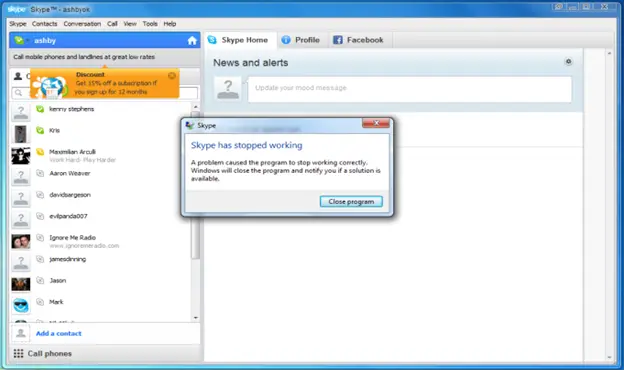
Skype has stopped working
A problem caused the program to stop working correctly.
Windows will close the program and notify you if a solution is available.

- Login or Signup Now to post comments

Whitney Ferry
Hi,
This could be a problem with shared libraries of Skype and MS Word, especially in windows Vista and Win7.
You can perform the following steps to correct this issue.
1- First of all close Skype, even from system tray (From right bottom- by right click and quit)
2- Click on start and on search files and folders type run- press enter
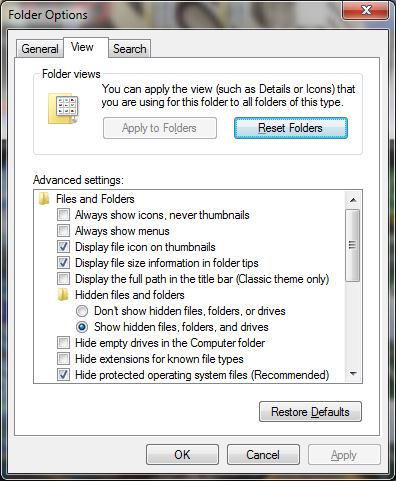
3- On the open new window type “control folders” press OK
4- Select the view tab and check mark “show hidden files and folders”
1- Now again click on start- run-and press enter
2- Type %appdata%\skype – press enter
3- Delete the “shared.xml” file.
4- Now start skype and check whether the error is fixed if NOT then proceed to step number 9
5- Again go to start-run- and type %appdata%\skype- press enter
6- Explore the skype folder and subfolders, and if find any files with following extension or name delete them:
· “temp-”
· “journal”
· “.lock”
.
After this again start skype, and everything should be ok
.
PT
If you can still open skype, but the error occurs when you are using it then I do not think the ms office you installed has anything to do with the error in skype. The possible cause of the problem could be that during the installation of ms office, you mistakenly changed some skype files and therefore causing it to malfunction.
The remedies that I will suggest that you use to fix the application are as follows:
Regards
Thompson Locker
Hello dear,
It seems that your Office and Skype are conflicting due to some nodes. It may be that your Microsoft Office files might be crashing Skype. I have a solution, go to appwize.cpl by RUN, and remove Skype first. Then, open Microsoft Word, go to Help, and click on “detect and repair”. It will take up to 5 minutes. When it finishes, restart your computer and install Skype. It will work well. Thanks.