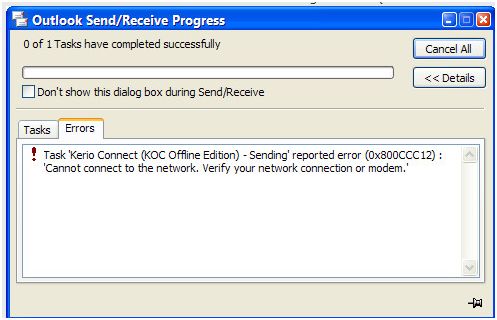
Microsoft Outlook throughs an error while sending an email (error 0x800CCC12 – Cannot connect to network):
Task 'Kerio Connect (KOC Offline Edition) - Sending' reported error (0x800CCC12) : 'Cannot connect to the network. verify your network connection or modem.'
- Login or Signup Now to post comments

As you have mentioned the Out Look Express is not allowing you to send E-mails because something is preventing Outlook Express of accessing your Network.
You can resolve this issue by following the steps mentioned below.
Steps to be followed if you are using Windows Vista
The error 0x800CCC12 in Microsoft Outlook can mean a number of things. It could be a Winsock socket error, in which the program is unable to send the Winsock request. To fix this, you would need to uninstall the TCP/IP and reinstall it by going into the control panel and accessing the Network folder. Or, it could be a destroyed or corrupt registry file, usually caused by a virus, or by installing or updating a program without removing other applications related to the program, causing the error. To fix this, you must download a registry tool program that, once installed, will scan and automatically repair registry errors.