I’m a student and our instructor asked us to create a program that would determine if a number is a prime number or not. In addition, if the input is not a whole number, the program should return an error stating "You have entered a wrong number!".
I’m a little clueless right now and would like some help on this. Any programming language can be used in creating the program but I hope you guide me through the simplest one. Thank you so much.

- Login or Signup Now to post comments

Helle Mate!
There are a lot of ways you can solve and code this problem using Visual Basic, This very simple project described below creates a single function that will return true or false values after testing the number passed in.
Hey friend,
I know a simple solution for your programming problem. and I will provide you a step by step guide on how to create a program in visual basic 6.0 that will determine if the inputed number is a prime numbers or not. This code is sure working. I tested them first and I also added validation.
Step 1.
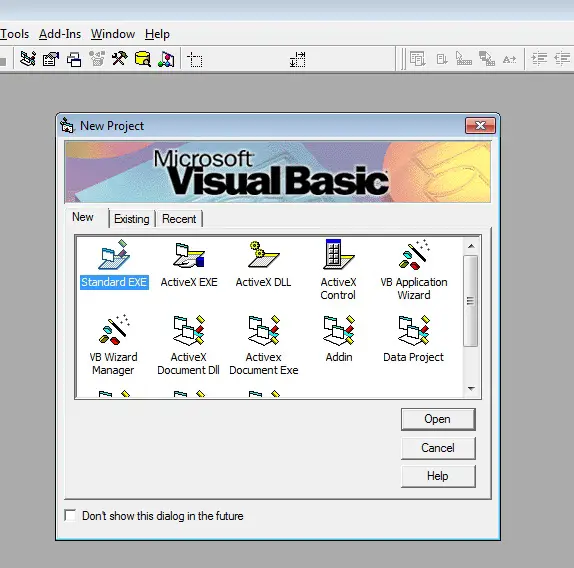
Open your Visual Basic 6.0 Programming software. Create a standard .EXE project.
Step 2
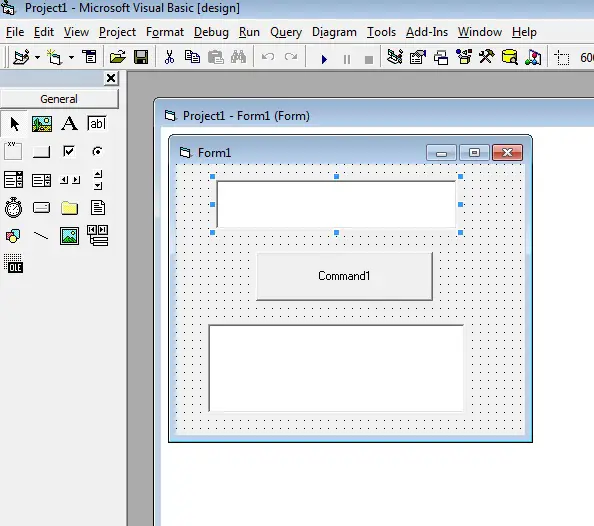
Create 2 Textbox and a command button. You will input a number in text1 and when you clicked the command button the result will be displayed at text2.
.
Now Lets do the codings...
Step 3.
Click the command button to view the command button code section then copy and paste the codes below. Ignore or delete the text in the red font color Its just an explanation provided so you can understand the codes.
Dim z as Integer ' Declare an Integer
Dim fn as Integer
------------------------------------------
fn = 1 'set default value of an integer
z = 1
If Isnumeric (text1) then 'check if you entered a whole number
while z <> Val(text1)
If Val(Text1) Mod z = 0 then 'determine if the number entered is a prime number or not. Prime number is divisible by itself and 1. example of prime numbers are 2,3,5,7. If the number is divisible by any other number therefore the number is not a prime number.
fn = fn + 1
End if
z = z + 1
Wend
If fn <= 2 Then
Text2 = "The number " + Text1 + " is a prime number", vbExclamation + VbOkOnly 'display a message when the number entered is a prime
Else
Text2 = "The number " + Text1 + " is not a prime number",vbExclamation + vbOkOnly 'display a message when the number entered is not a prime
End if
Else
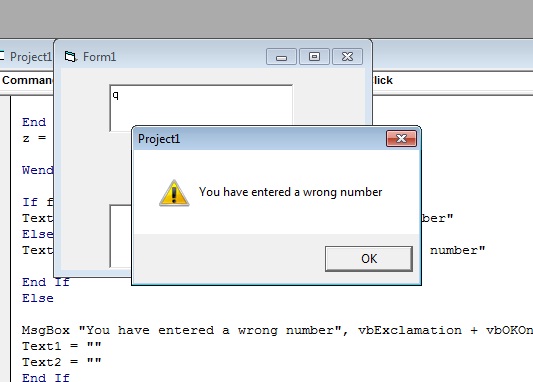
Msgbox "You have entered a wrong number" 'display a message when you did'nt entered a whole number
Text1="" 'clear text1
Text2="" 'clear text2
Let's give it a try
press f5 to run the program.
Enter a desired number in text1 then click the command button.
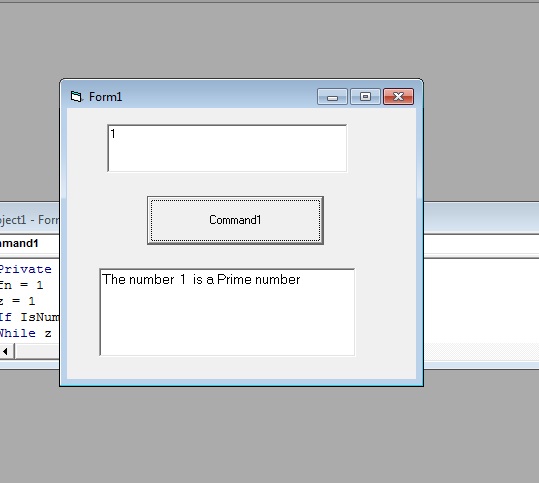
If the entered number is a prime number Text2 will display a message like this:
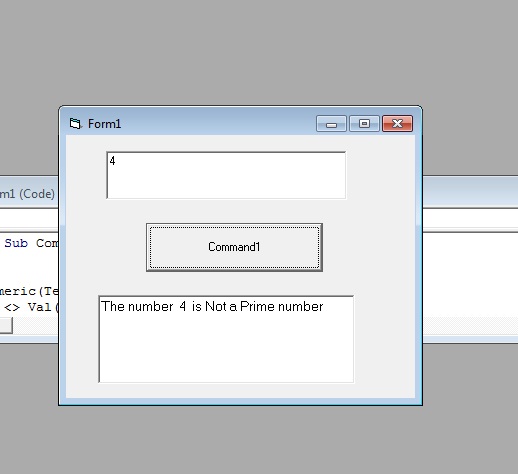
But when the entered number is not a prime number text2 will display a message like this:
For the validation, If you didnt enter a whole number, A message box will appear and dispaly a notification like this:
Problem solved. Happy Codings
Hey,
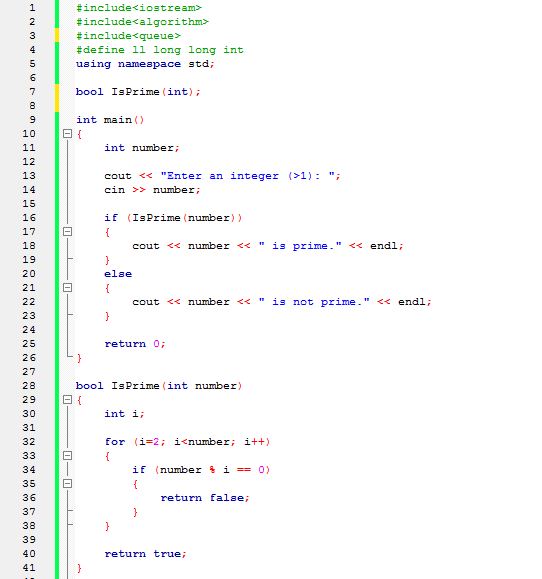
Here is the C++ code that I wrote -
Regards,
Sanders Danny