

Oh I can't think of anything. What should I do for this? I can't use MS Word 2007 in my computer.
But it's urgent. I recently installed MS Office 2007 on my personal computer.
I can open all the packages without MS Word. When I open Word 2007 the message below appears.
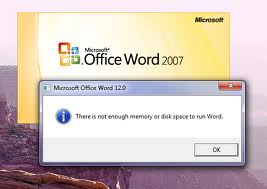
It says "There is not enough memory or disk space to run word"
Then I deleted some files from my C: drive. But unfortunately it didn't resolve my problem.
Then I re-installed the full MS Office package again. But it occurs again and again.
This is very urgent for me to open the MS Word and work with it these days.
Please give me a solution.
Thanks.

- Login or Signup Now to post comments

Your facing a critical problem. There are many reasons why the problem happens. It might be because your PC RAM is not as good as it should be.
You need good configuration to run the Microsoft Office Package like MS Word. Or, it might have problem in the CD/DVD of Microsoft Office.
You can change the disc from the store (where you used to buy the CD/DVD). Replace the disc and try to install newly on your PC. Or, you can re-setup your Windows. Re-setup your Windows will solve the problem. You can use Windows 7 32 or 64 bit. I think you have got your answer.
I think the problem here is inadequate disk space. And added to it is the available RAM memory in your computer. You did not mention anything about the RAM capacity of your computer and the available free space in your hard drive.
If you installed Microsoft Office 2007 and the available hard disk space in your computer is just enough for the program to be installed, then the error message is just right.
You have to have a considerable disk space for the program to work. Even if you have an average memory capacity in your computer, your program will still work because of the page file. It will share the memory load from the RAM memory to your page file located in your hard drive.
Try the following solutions:
When search a problem occurs on your computer try to do the following in order to resolve the problem:








