


Error Occurs upgrading to Exchange 2010
Asked By
10 points
N/A
Posted on - 06/18/2012

I need help upgrading to Exchange 2010 and I’m encountering a couple of issues. I have to transfer my old Mailboxes which I used when we were using Windows Server 2003 (w/ Exchange 2003), to the upgraded server.
Everything was working perfectly. I managed to install Power shell to the 2003 server and changed to the necessary setup and I also managed to Enter-PSSession. Then, I tried copying to EMC 2010 from my 2003 forest.
Suddenly a login window appeared, but I couldn’t find anything in my IIS 6 directory.
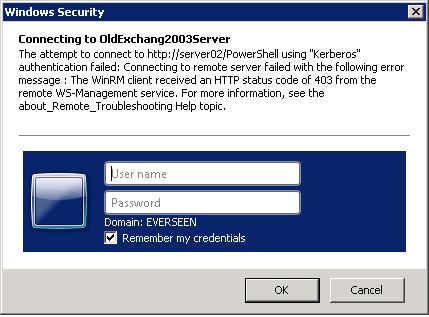
Windows Security
Connecting to OldExchang2003Server
The atternpt to connect to http://server02/Powershell using “Kerbero" authentication failed: Connecting to remote server failed with the followlig error message : The WinRM client received an HTTP status code of 403 from the remote WS-Managernent service. For more information, see the about_Remote_Troubleshoottig Help topic.
Username
Password
Domain: EVERSEEN
Rememberr my credentials
OK
Connecting to OldExchang2003Server
The atternpt to connect to http://server02/Powershell using “Kerbero" authentication failed: Connecting to remote server failed with the followlig error message : The WinRM client received an HTTP status code of 403 from the remote WS-Managernent service. For more information, see the about_Remote_Troubleshoottig Help topic.
Username
Password
Domain: EVERSEEN
Rememberr my credentials
OK
Has anyone else managed to fix this problem? It’s going to be a wasted effort upgrading to Exchange 2010,
So please I need some help here.
Thank you












