Difficulty in installing certain programs after a clean install of Windows 7

Hi all, I recently did a clean install of Windows 7, but now, I am having difficulty in installing things. I installed a few Windows apps. Now, I can´t install certain programs like CorelDraw X5, Nero 8, Nero 10 3DS max 2012 etc.
I even tried to install the new Batman game, but it says that there is a Direct X error and a framework error. I did a quick search over the internet and some suggestions that I got were to reinstall windows and the net framework.
I tried these, but nothing has changed. I have also tried to repair the registry using different programs, but that was a dud, as well. I am not able to find a solution. Can you help me with any ideas please?
This is the error that came up while trying to install CorelDraw.
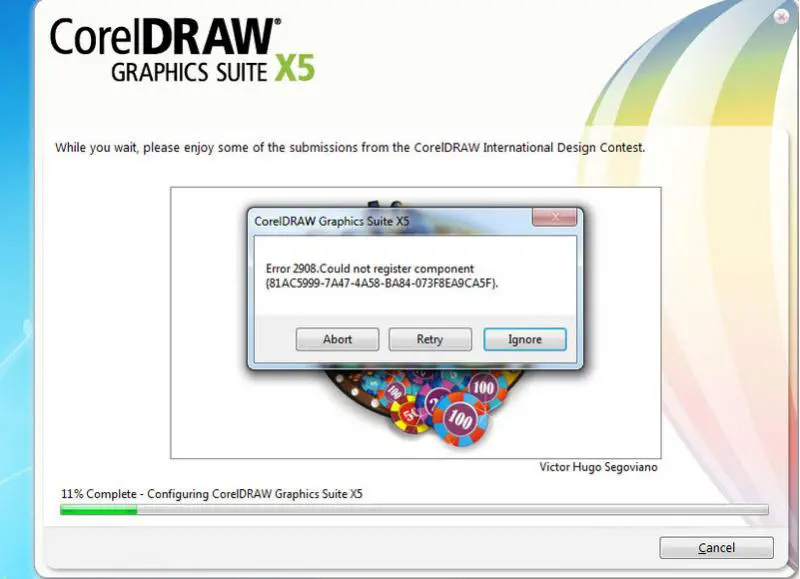
CorealDRAW Graphics Suite X5: Error 2908.Could not register component (81AC5999-7A47-BA84 -073F8EA9CA5F).
When I ignore that error, this appears:
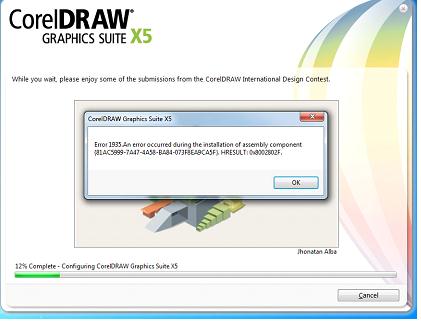
CorealDRAW Graphics Suite X5: Error 1935 . An error occurred during the installation of assembly component (81AC5999-7A47 -BA84 -073F8EA9CA5F). HRESULT:0x9002B02F.
While installing my batman game, this is what appears:
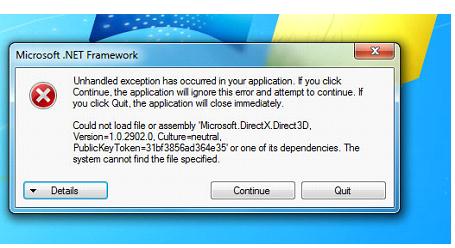
Microsoft .NET Framework
Unhandled exception has occurred in your application. If you click Continue, the application will ignore this error and attempt to continue. If you click Quit, the application will close immediately. Could not load file or assembly Microsoft.DirectX.Dhect 3D.Version=1.0 2902.0. Culture=neutral. PublcKeyToken= 3lbi3856ad364e35' or one of its dependencies. The system cannot find the file specified.