


RunDLL error problem starting C:Program Files (x86)
Asked By
20 points
N/A
Posted on - 04/16/2014

I uninstalled a program and after I reboot my PC this RunDLL error appeared. This error appears every time I open my PC. After some searches on the Internet I didn’t find anything. I would like to know if I install the program again this error will disappear. How can I fix?
Thank you!
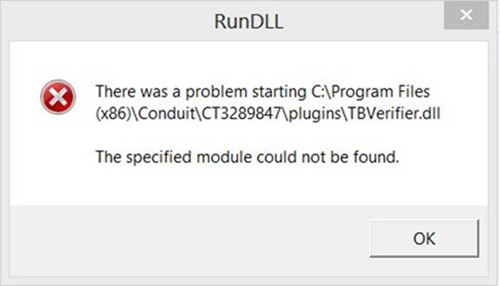
RunDLL
There was a problem starting C:Program Files (x86)ConduitCT3289847pluginsTBVerifier.dll
The specified module could not be found.
OK












