


Photoshop always fail to save a file on MAC
Asked By
40 points
N/A
Posted on - 01/19/2014

Hi,
When I try to save a file made in Photoshop always I get this message. No matter if I change the name, location and extension this message does not disappear. I made some researches on the internet and nothing useful found. Someone please help me to fix this and tell me what is happening? I couldn’t get rid of the problem even after I have reinstalled the Photoshop CS5. Thanks!
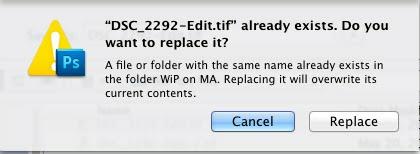
DSC_2292-Edit.tif” already exists. Do you want to replace it?
A file or folder with the same name already exists in the folder WiP on MA. Replacing it will overwrite its current contents.
Cancel Replace












