


My HP W19 LCD Monitor has no signal error

Hi experts,
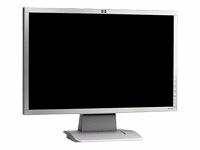
I have a HP W19 LCD Monitor connected with my HP Slim line CPU. When I open my computer, I can hear the fan whirling inside the CPU and all the lights are glowing to show that it is perfectly running. But in my monitor, there is a no signal message and seems like there is no power coming from it. The screen is black, but it has no beeps or anything.
I checked on the cable connecting the CPU and the monitor, it is connected properly. I took out the cable then tried it on another computer, and it runs. I force closed my computer by pressing the power button of my APC AVR. Then open it again after a while.
This time I heard a short beep from my CPU. Then the whirling of the fan inside stops but there are still lights in front of my CPU. I heard the beep once then it did not happen again even after pressing the avr to close my computer and open it again.
Is this because of a faulty monitor?
Do I need to replace it? Does the short beep means something?
The whole computer is only 6 months old. From what I remember, when I used it the last time, it works without problems or errors.
What do I need to fix this?
Thanks for help.













