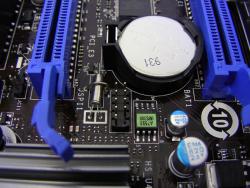
How do I change my clock setting on Windows XP?

Hi,
I am running Windows XP Professional Service Pack 3 32-Bit Operating System. I don't have any problems with my system, except for this annoying clock, that keeps changing it's time zone and the time itself. Every time I turn my computer on, I have to change the time to my current time.
While working on my computer, the clock will stay firm and will not change its value unless I shut down my computer. After rebooting, the clock will change its value and time zone to a different country.
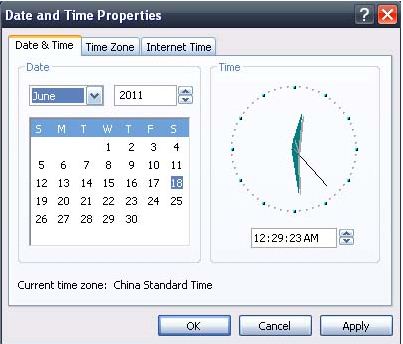
It's just so annoying, because sometimes I forgot to change and correct the current time. Like for instance, when I look at the clock with the time 12:37 am I am thinking that it is really time for bed and that I worked for long hours, then I will realize that it is not the real time.
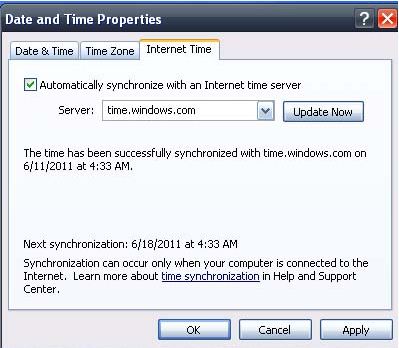
I set the Internet time to automatically synchronize with an Internet time server and set the server to time.windows.com, then clicked on update now. I switched on the server to time.nist.gov but either way, I have no luck. I already set the time zone correctly, but every time I shut down and restart my computer, the time zone will change its value again.
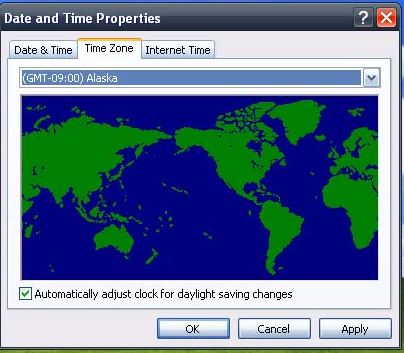
I want to know how to change the settings for my clock?
And what is causing my clock to change on random booting?
Can someone send me a solution please?
Thanks in advance.