Asked By
lancer
0 points
N/A
Posted on - 12/10/2011

Hello,
I will really need help with this problem.
My friend borrowed me his laptop to finish some projects.
A few days ago big error message appears for program starter.exe This is not familiar to me, but I couldn’t find answer online for this.
Can someone please help me to fix this problem?
OS Windows 7
Thank you
Lance
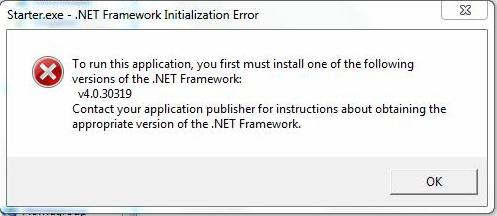
Starter.exe – .NET Framework Initialization Error
To run this application, you first must install one of the following versions of the .NET Framework:
V4.0.30319
Contact your application publisher for instructions about obtaining the appropriate version of the .NET Framework.
OK
Starter.exe – .NET Framework Initialization Error
Hello Lancer,
I have read your problem that is making you worry about the laptop. ‘Windows .NET Framework Initialization Error’ is caused by miss-configuration of system files.
Windows .NET Framework Initialization Error’ usually happens when the computer’s registry system is overloaded with lots of redundant data. It also happens when certain system files become missing or broken.
But you should be happy that this error is easy to repair.
You could just download the version of .NET Framework: V4.0.30319 and install it.
If that does not solve the problem you could repair it by downloading registry repair tool.
By this you can quickly and effectively fix your problem. You can download registry repair tool by searching it not the net.
Thanks