No of visitors who read this post:
266
Category:
MultiMedia Applications
Type:
Question
Author:
Kristina Reinstra
Hi all.
When someone suggested with some information about what is wrong along with what to act, then I feel good.
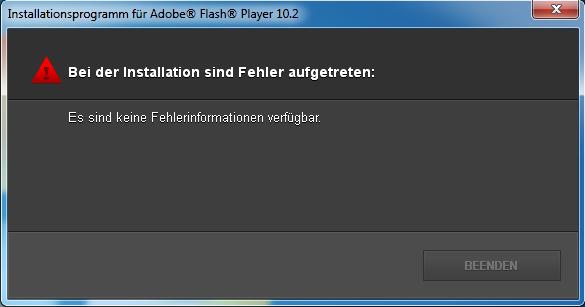
Here is the error message which I received from Adobe Flash Player in this morning.
Error:
Installationsprogramm für Adobe® Flash® Player 10.2
Bei der Installation sind Fehler aufgetreten:
Es sind keine Fehlerinformationen verfügbar.
I don't really understand what the error message is implying nor how to resolve it. Can someone please help me out here. I would really appreciate it.

- Login or Signup Now to post comments

Dear Kristina,
Tell me how you got the Adobe Flash Player 10.2 version set up.
Go to the link below and download your Adobe Flash Player 10.2 version setup.
Download Adone Flash player 10.2
After you download it setup it as usual.
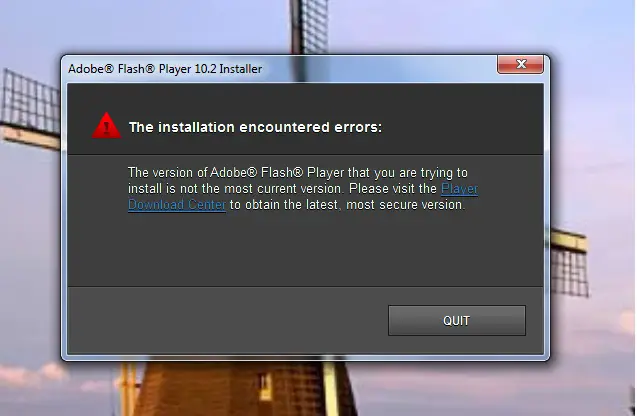
Sometimes it will show you a error message like below.
In that error you can see a link to the Player Download Center. Click it.
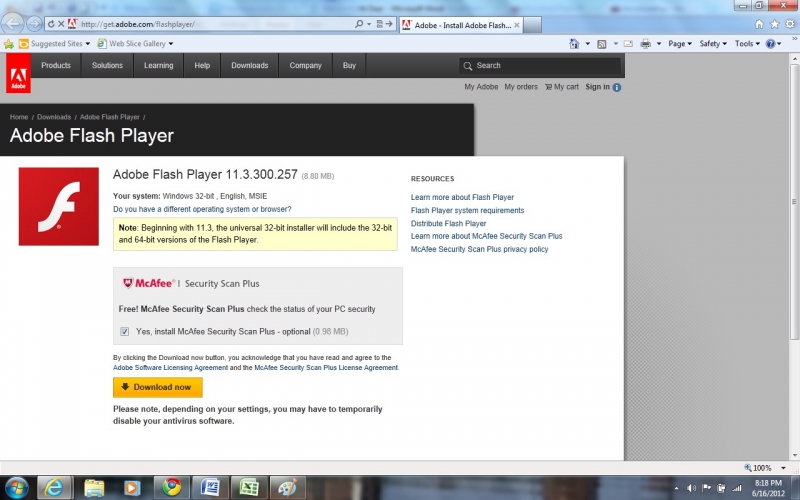
Then it will automatically go to the Adobe Flash Player Official site.
From there you can download and install Adobe Flash Player latest version 11.3.300.257.
If you need to install McAfee Virus Guard you can keep the tick Near the box “Yes, install McAfee Security Scan Plus – optional (0.98MB)
If you don’t want it remove the tick and click Download Now.
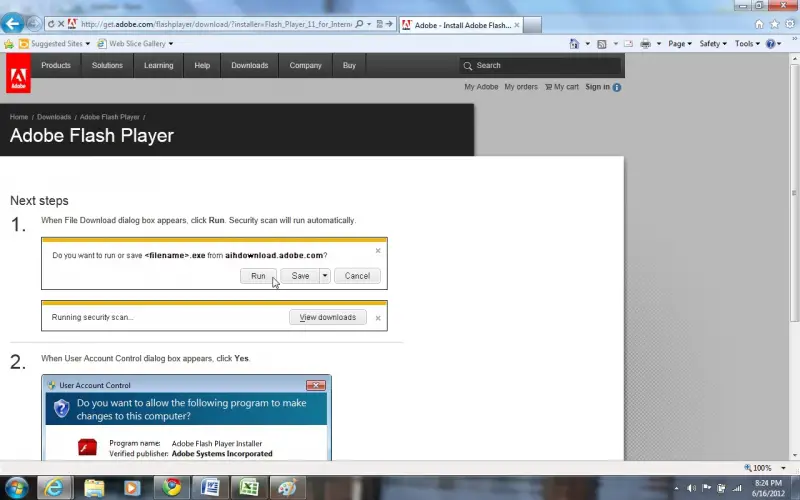
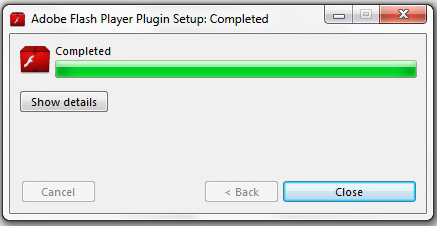
Do the needful as they are saying. The window which is appearing after you click the Download Now button as follows.
Your Adobe Flash player has had some problem. And you can’t be able to use it. I can help you with some suggestion. There are a lot of Issues can be shows. I can give you some suggestion.
You should remember that adobe Flash Player is needed to access to access sudden types of content on the web.
Make ensure to connect with internet.
Check out your system.
Software Upgrade
There is some windows vista or & problems
Security problems
Network error
There are unknown bug
Check it out and reinstall it. I think that it will help you to find the problem.