No of visitors who read this post: 289
Type: Question
Author: Harold Rudy
Your rating: None Average: 4 (1 vote)

Hi, I get the following error message when i try to install Power pivot on my 32 bit windows seven PC. I have downloaded the correct file for my PC. Please help.
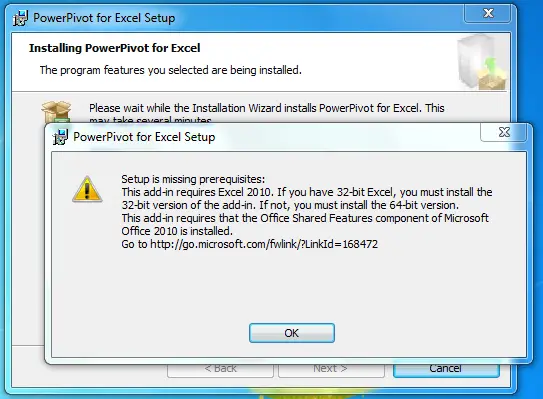
Setup is missing prerequisites:

This add-in requires Excel 2010. If you have 32-bit Excel, you must install the 32-bit version of the add-in. If not, you must install the 64-bit version. This  add-in requires that the Office Shared Features component of Microsoft Office 2010 is installed.

Comment viewing options

Select your preferred way to display the comments and click "Save settings" to activate your changes.

#

Hi,

To get rid of the problem, please do the following steps:

1. Save PowerPivot_for_Excel_x86.msi to a local folder.

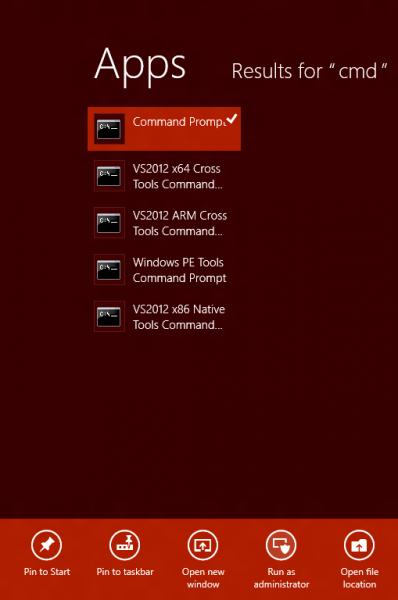
2. Right-click on the Command Prompt and choose Run as Administrator.

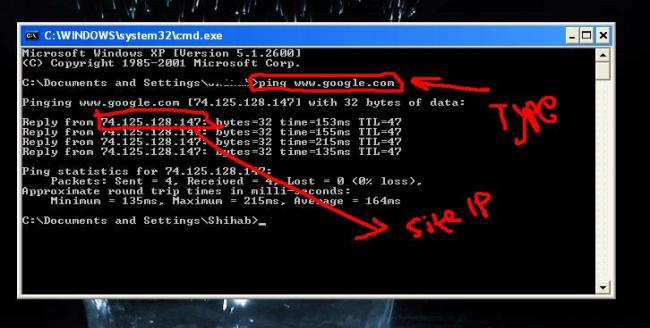
3. Type msiexec/i c:\data\PowerPivot_for_Excel_x86.msi in the Command window.

4. Start Excel and choose Accept when prompted to install PowerPivot.

N.B. If PowerPivot doesn't show in the ribbon, just go to File>Option>Add-ins and select Com Add-In's from Manage drop-down list and choose Go. Don't forget to confirm that PowerPivot for Excel is selected. Have you selected it? Press OK.

I think your problem has been solved.

Hathy