No of visitors who read this post: 435
Category: Security
Type: Question
Author: Stanizford
No votes yet

I have some folders in my computer that I want to restrict others to open it due to its confidentiality. I don't see any options how to restrict folder by a password on right-clicking on it. Please help, I need it badly.

Thank you.

Comment viewing options

Select your preferred way to display the comments and click "Save settings" to activate your changes.

#

Hi Staniford,

You can try this solution, all you need is a compression tool like WinZip or WinRar but such tool are for sale and there you need to buy or you can use there trial versions. But we are in luck because there is this compression tool called 7s , which is free and GNU license. 

What you have to do is download and install the program by clicking the link below,

www.7-zip.org/download.html

After installing, right click on the folder you want to restrict access to others.

on the pop menu click on 7-zip --> add to archive.

a new window will appear. name the folder archive and choose the compression options you want.

on the lower right you will find a section there entitled Encryption

put a password and the Enter password text box

re-enter the password

and if you want check on the encrypt filenames option. 

Click the OK Button

and there you will have a new encrypted file with the .7z extension 

Test it by double click the encrypted folder.

after testing and everything works fine, delete the original folder and make sure it is also deleted in the recycled bin.

hopefully this will help you.

# (Solution Accepted)

Hi Stanizford,

Please see below the different methods to protect or lock your folder:
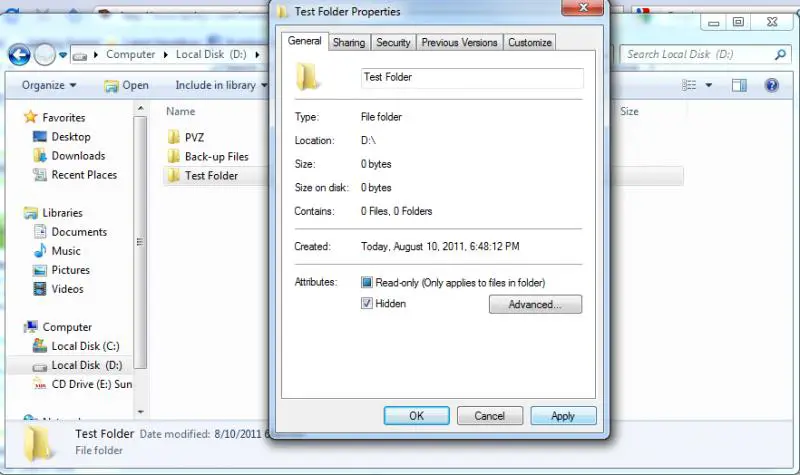
1. Simply make your folder hidden but using this method it only hides your folder without password protection.
- Right click your folder, Select properties then on General tab check Hidden. And click Apply button followed by OK button.


2. Make folder hidden with password requirement
- You will need to create batch file however this is not a secure method so use it at your own risk.

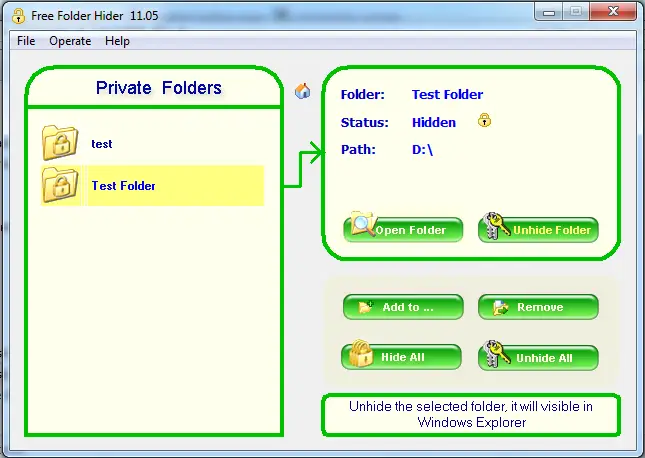
3. Using folder protection software that is compatible with your WinXP, Vista, Win7. You can download the software for free and trial version. Please see the link to get the software:
http://download.cnet.com/Free-Folder-Hider/3000-2092_4-10884537.html

- After downloading, install the Free Folder Hider then run the program.


NOTE: Doing this method you must first create a new folder to test the software then if you are familiar with the software, you can apply it to your desired folder you want to protect. How to use Free Folder Hider: http://www.freefolderhider.com/help.htm

Lhana