No of visitors who read this post: 130
Category: MS Word
Type: Question
Author: David Parfit
No votes yet

I am working with Microsoft word to prepare reports. These reports include about 20 to 100 pages.

Sometimes I have to move between several pages of the word document. It is very difficult to move and refer two different pages at the same time. E.g. Page number 2 and 45.

Isn’t there any easy way to move between word sheets?

Comment viewing options

Select your preferred way to display the comments and click "Save settings" to activate your changes.

#

There is an easy way to move, refer, copy paste and amend etc. different pages in Microsoft Word.

This option is called “Split”.

I will explain how to use the split option in word as follows.

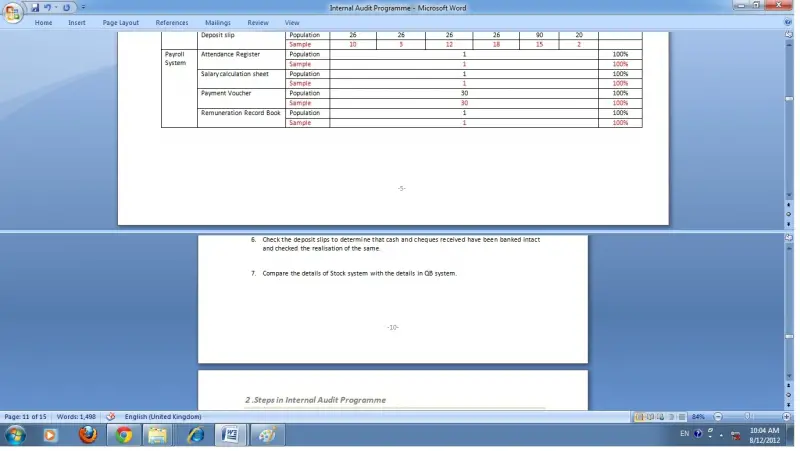
In the following image we assume that we have to work with page number 5 and 10.

If it so, we will split the entire document as follows.

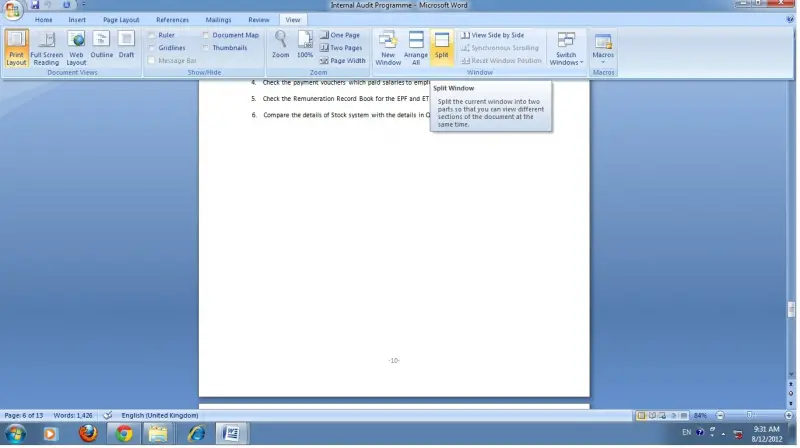
First click on the view tab and click on split as shown in the below picture.

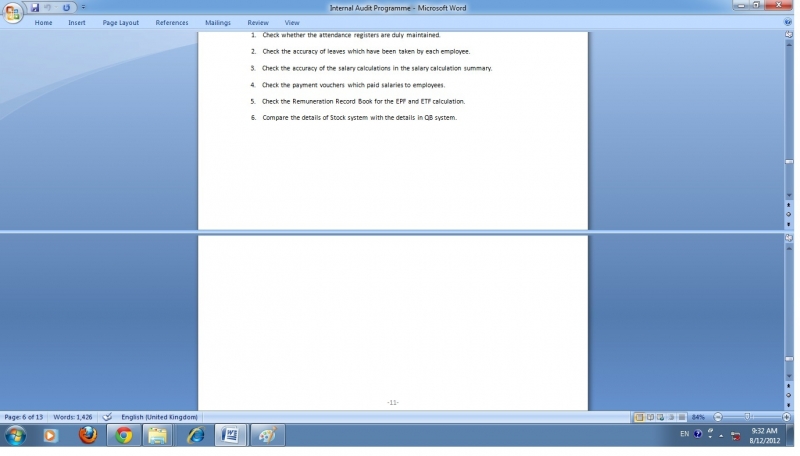
Now split line will be appeared. Click on the sheet then the sheet will be spitted.

Now go to page 5 in upper section and go to page 10 in lower section.