

No of visitors who read this post: 194
Category: Apple Software
Type: Question
No votes yet

I was trying to upgrade Graphisoft on my MAC OS 10.6. But I think something is wrong with my MAC cause it does not get the update and displays the following message.
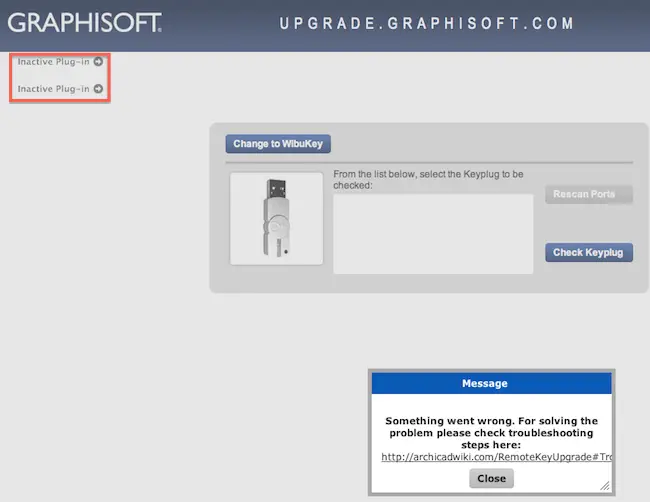
Message: Something went wrong. For solving the problem please check troubleshooting.

Comment viewing options

Select your preferred way to display the comments and click "Save settings" to activate your changes.

# (Solution Accepted)

Hi, 

You should enable Java plug-in because it is necessary for the site to upgrade your key. You can do it from the browser or from the Java Preferences.

To do it in the browser:

1. Close the message.

2. Click on the Inactive Plug-in text

3. Enable Java Plug-in

4. Quit the browser and restart.

To do it in Java Preferences:

1. Quit the browser

2. Open Java Preferences from Application/Utilities/

3. Put a tick 'Enable applet plug-in and Web Start applications'

4. Close Java Preferences

Now try to use. I think your problem is gone.

Hathy

#

Hallo William,

You will need to hard-wire your computer to the internet. If you are using Wi-Fi then it might be significantly slower as well as spottier,  and for that matter the chances that your upgrade will fail are very high. Whenever possible, you will need to ensure that you are connected to the Internet via a hard-wired Ethernet connection and not Wi-Fi.

Regards,

Nicke









