No of visitors who read this post: 138
Category: MS Excel
Type: Question
Author: Sjohn
No votes yet

I want an excel formula to select players for an event. Please see the image.
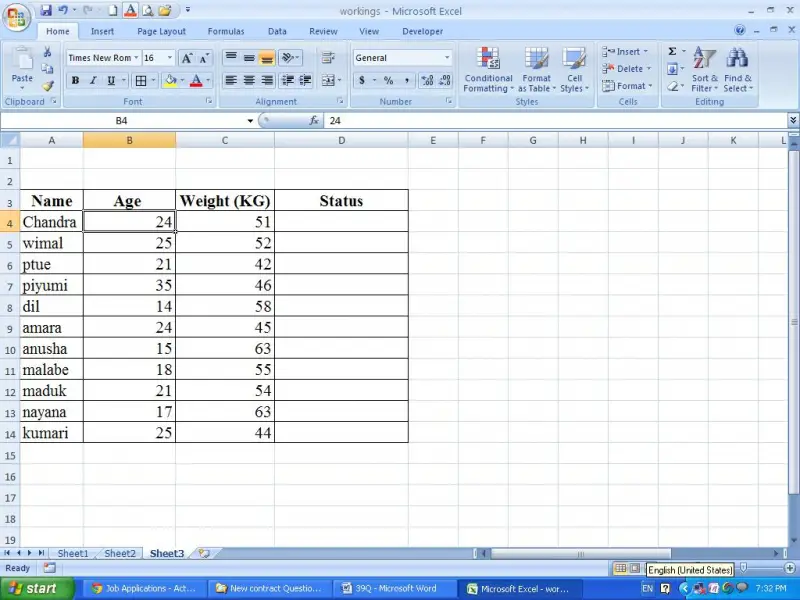
 In column D under status column I want to have results as selected or not which meet the following criteria.

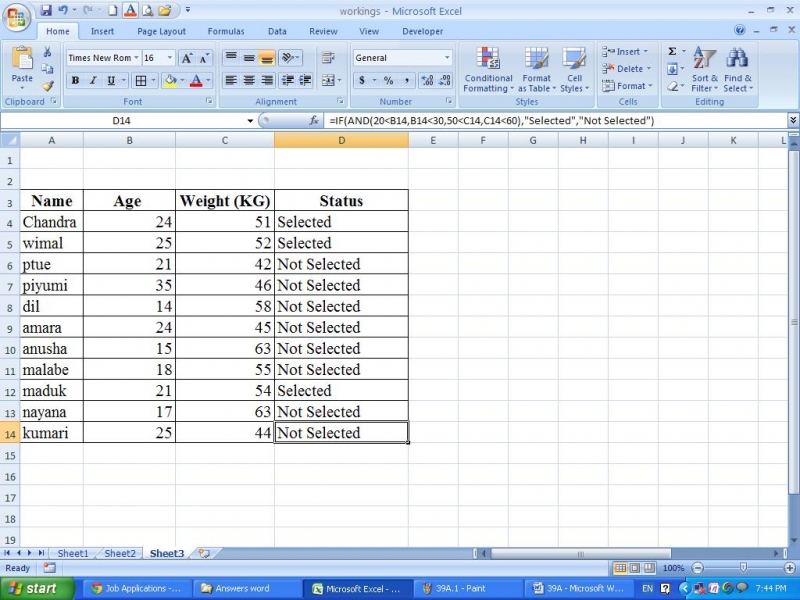
Age between 20 and 30 together with Weight between 50 and 60 KG                     -   Selected

Others                                  -    not selected

Can someone tell me a formula?

Comment viewing options

Select your preferred way to display the comments and click "Save settings" to activate your changes.

#

A solution can be arrived for your question by using functions available in Microsoft excel. I will use ‘AND’ and ‘IF’ function in this scenario.

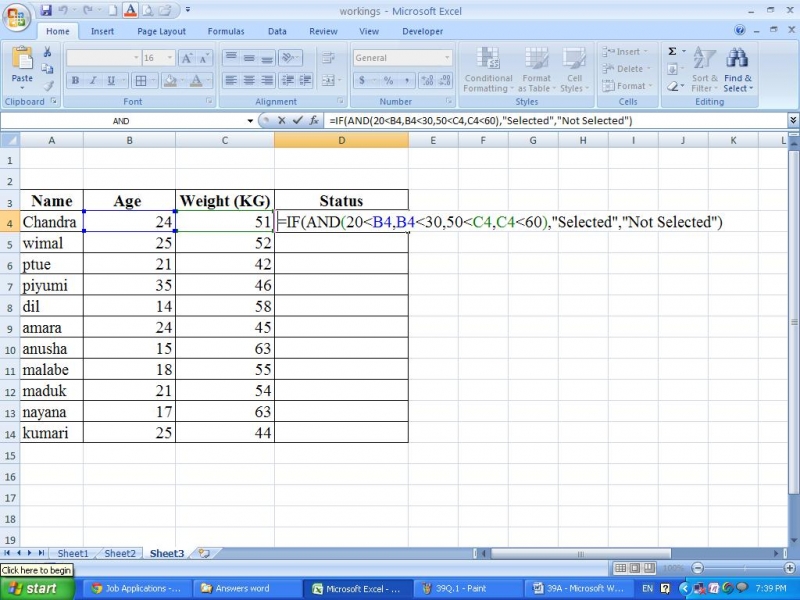
I will take the same example that you have taken.  In that table under status column please type the following formula in cell D4.

=IF(AND(20<B4,B4<30,50<C4,C4<60),"Selected","Not Selected")

Point to be considered; this formula has been created specifically for the use of Column D. However, if you use it in another location you will have to adjust this according to the place which the columns are available.

Now copy the same formula to below cells. Then you can see the result you want has been appeared in column D.