Hey,
I was downloading an update of software when I received the following error with the message:
An error has occurred during downloading
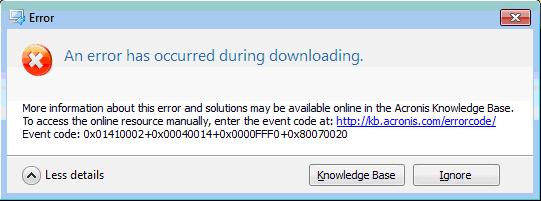
Error: An error has occurred during downloading. More information about this error and solutions may be available online in the Acronis Knowledge Base. To access the online resource manually, enter the event code at: http://kb.acronis.com/errorcode Event code: 0x01410002+0x00040014+0x0000FFF0+0x80070020

- Login or Signup Now to post comments

Dear Evelyndnell, I have read your problem.
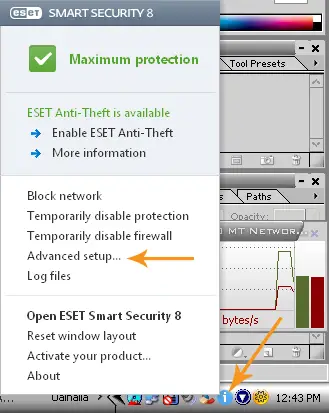
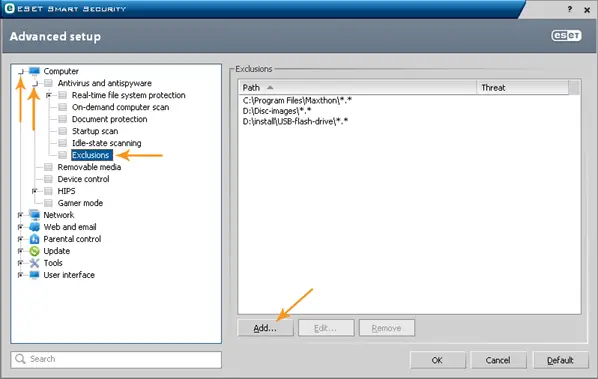
It seems that you have set your software to download updates automatically for you. You are facing this problem because your temporary download folder for updates of Acronis software is blocked by your antivirus software. At software start a folder is created within Temp folder by the name of “AcronisUpdates” and auto update downloaded files are stored in that folder for later use, temporarily, but due to some reason your antivirus software is considering this as a threat.
Simplest solution to this problem is to add “%TMP%\AcronisUpdates” folder to exceptions, so that your antivirus will not consider this a threat. Now you will have to reboot your machine to delete incomplete downloaded files in Temp folder. After reboot, you can check for update again. If you do not wish to reboot, simply download and install latest updates manually.
Hope his will be of help.