

Good Day!
I have a problem with regards to check disk using the command line. It appears like the image shown above. I was trying to check some errors in my hard drive by using the command line utility. When i type the chkdsk c: the message appeared as "Access Denied .............". I am just eager to check the hard drive if there’s some error occurs.
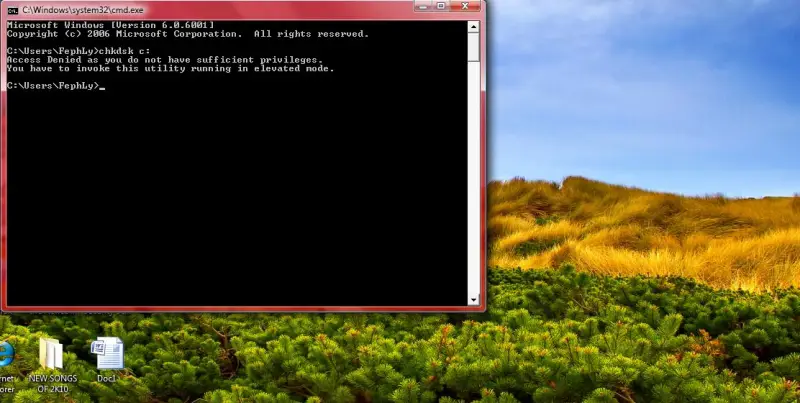
Access Denied as you do not have sufficient privileges.
You have to invoke this utility running in elevated mode.
What do you think is there anything wrong with the hard drive or is the command line incorrect? I am using Windows Vista Premium. Is there any command apart from cmd line prompt? Help me please thanks.
Thank you.

- Login or Signup Now to post comments

Hello Alexanders,
Your problem is not really a problem. Your command prompt just needs elevated user privileges or it needs to run as administrator. It is part of the new security features like UAC (User Access Control) which started on Vista, and continued on to Win 7. So all you need is to run “chkdsk” as administrator with full permissions and rights. Here’s how to do it several ways.
Method 1:
Method 2:
Method 3:
Turn off and disable UAC then type “cmd” to run the command desired. Turn UAC back on when done with the task. DD a contextual menu feature to allow running elevated command prompt privileges on any folder location just by simply navigating to any folder of your choice, and right clicking the newly added option which can be downloaded here
Note that the procedures outlined will work for both Windows Vista and Windows 7.
See these points to solve your problem:










