You know what guys? Until now my laptop computer is hanging up! I am using the other computer right now to be able to ask assistance here. It started when I uploaded some pictures coming from the internet. When I started to upload, it hung up! I've waited 5, 10, to 15 minutes until it reaches 30 minutes before the uploads are completed. When I uploaded again for another set of pictures, the action still exist in the same way.

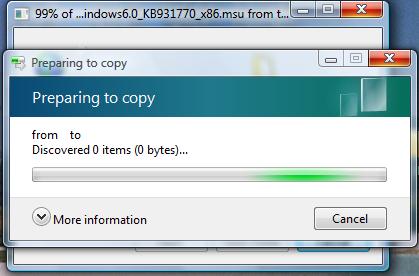
Preparing to copy
from to
Discovered 0 items (0 bytes)…
Why does it takes half an hour before the uploading is completed? My laptop is getting logged every time this action occurs. I need you concerns guys. Help me!
Thanks.

- Login or Signup Now to post comments

Hi,
I had also faced that problem before. You can easily resolve this problem by following these methods.
Solution 1: Sometimes it is caused by HDD issue.
NOTE: Remember you should back up your hard disk data before attempt to formatting.
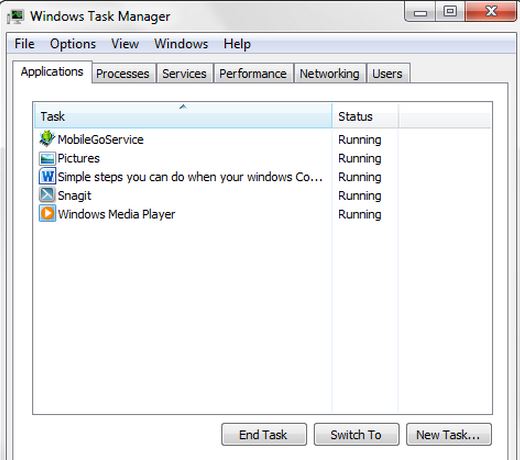
Solution 2: You have said that your computer remains 30 minutes or long time in Hang-up condition. It is obviously a serious problem. In this case you should follow the below when your computer remain hang-up condition.
Solution 3: Did you install too many programs in your system? If you did that then you should remove all unnecessary programs which you do not use.
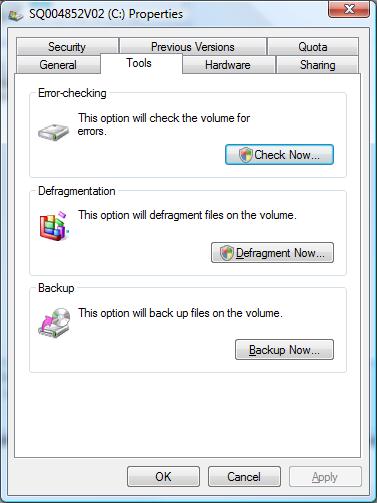
Solution 4: Do you run the Disk Defrag mentation regularly? If you do not defragment it regularly then you should defragment all your disk at least every week.
I hope it will increase computer performance and stop hanging.
Solution 5: Did you run your disk checking program ever? You should always run your disk checking program every two week.
Solution 6: You should try ATF cleaner software.
Solution 7: If you can not get rid off from this problem then you can follow the below options
I think you can resolve your problem. If you want to know further information then reply on this solution.
Thank you.
Check, the files you are uploading, it is possible the files you are uploading may be infected or corrupted. If files you are uploading is corrupted, those will not upload. Try uploading from different source, if it gives same result, run antivirus program, Defrag the both disk, delete temporary files, delete unwanted files from C:/ drive. Restart the Laptop and try to upload again.
If still not resolved upgrade windows or install new windows.
Dear Lyndsay,
This kind of problem happened sometimes during copy some things from usb or others device. To avoid this problems 1st restart your computer then start uploading if problem not solve I suggest you to use software that helps you upload or copy something’s. In this purpose you can use teracopy. It’s a very tiny software but helpful.
Thanks and Regards
Louis Louis