


Hardware
Hello,
My system had a problem regarding to the bios, i don't know actually about the word bios. When i had a problem in motherboard i take my CPU to the service Centre he said that the bios are failed in my computer. He also said that it is unable to replace.

- 5144 views
- 2 answers
- 1 votes
Recently i am fetching of a great problem. When i turn on my computer i can see that CPU is running.
CPU front LED indicates red and blue signals. But no display in monitor. I am sure monitor and the line of it is okay.
I message is shown at that time in the display "No input signal found" .
But i am sure the VGA cable is properly connected with the monitor and CPU VGA port.
What i have to do to solve the problem?

- 995 views
- 2 answers
- 0 votes

- 0 views
- 0 answers
- 0 votes
Hello guys,
I need help about how to recover a dead bios i have one motherboard here and i have flashed the wrong bios firmware and it wont boot what will i do i need to recover this motherboard ASAP or i will need to replace it with a new one thanks for those who will give answers here is the motherboard name ecs a740gm-m and i have flashed the bios chip into ecs a750g.

- 837 views
- 2 answers
- 1 votes
While booting up is in the BIOS period, my PS2 keyboard works fine, but it fails to respond soon after the Windows XP logo shows up. I tried to uninstall and then reinstall the keyboard. That did not help. I've also tried with another new keyboard. The problem not solved.
How can I solve my keyboard problem?

- 1325 views
- 3 answers
- 0 votes
I use Windows SP3 in my PC.
Here hardware are
1.87 GB RAM
AMD Athlon 64×2 Dual Core Processor 6000+ 3.01 Ghz,
HDD 120 GB
The problem is USB device. When I attached any USB drive its always show 'This device can perform faster and its work very slow.
Its too slow to copy any data.
Have you any idea to solve this problem ?
- 1166 views
- 3 answers
- 0 votes
After installing operating system Windows XP Service Pack 2, I entered my motherboard disk. I install all drivers and necessary software from that disk. After restarting, I cannot access my keyboard and mouse. My keyboard and mouse is connecting motherboard via USB port. But after XP is installed it is working properly.

Where is the problem? How can I solve this problem?

- 1237 views
- 3 answers
- 0 votes
hi there, i need to make a good decision on what laptop to get for my work. im a graphics person. i'd need a laptop that can effortlessly multi-task heavy work, one that can seemlessly handle video editing, graphics design, and has long battery life for up to 6.5 hours in heavy use. aside the Macbook pro, is there any other – how about the HP elitebook? what the real down side of the Dell 15z?

- 946 views
- 1 answers
- 0 votes
I have a hard disk of 160 GB space. Due to regular formatting my HDD space reduced to 140 GB. I lost 20 GB. I want to recover lost space in the HDD.
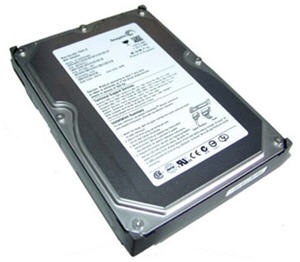
Is their any solution for it? If any kindly help me.
- 2017 views
- 2 answers
- 0 votes
I have a digital camera Sony Cyber shot w120.
When I connect the camera using USB port.
PC show a new hardware found sound. But when I see my device manager its I can’t find my digital camera.
I see all option of the device manager, but its not get. PC cannot recognize the Camera.
And I can’t access my camera.
How can I access my camera?

- 1025 views
- 1 answers
- 0 votes
Latest Articles

How T-Mobile Postpaid Plans Improve 5G Connectivity And Mobile Value For Everyday Users

Skill-Based Slots Trend Or The Future Of The Industry

Top 7 Tech Features That Make Online Games Addictive (In A Good Way)
Latest Blogs

Top 10 New Laptop Entrants That Shook The Public

10 Facts About The Dark Web

Top 10 Latest Steam Cleaner Machines
Latest Tips

Top 10 Internet Monitoring Software

Top 10 Best Partition Manager Software
