

No of visitors who read this post: 296
Category: Anti-Virus
Type: Question
Author: Bryan dowdy
No votes yet

I updated my DS212 to DSM 40.2198 and use it as a file server in my home environment. I’m using the same workgroup name for my PC and DS212. I turned off Avira Premium and system firewalls.
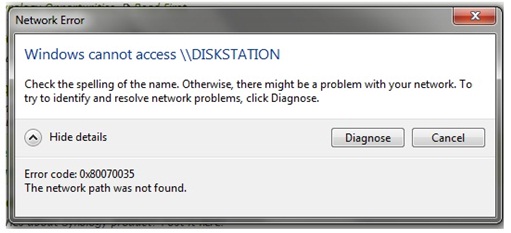


Network Error
 
Windows cannot access \\ DISKSTATION
 
Check the spelling of the name. Otherwise, there might be a problem with your network. To
try to identify and resolve network problems, click Diagnose.
 
                                                             Diagnose           Cancel
 
Hide details
 
Error code: 0x80070035
The network path was not found.

In spite of all that, I am getting a network error message. I tried some stuff but I still end up with this error. Can someone point out what I might’ve done wrong?

Comment viewing options

Select your preferred way to display the comments and click "Save settings" to activate your changes.

#

Hi,

Please follow the direction below to solve the problem:

* Change the security firewall setting or disable the security software that presents on your Windows.

* Enable NetBIOS over TCP/IP by the following ways:

1. Go to Control Panel>Network and Internet>Network Connection.

2. Right-click on the connection and choose Properties.

3. Click Internet Protocol (TCP/IP) Version 4 from the list.

4. Click Properties and click Advanced.

5. From the Advanced TCP/IP setting windows, go to WINS bat.

6. Under NetBIOS setting, click Enable NetBIOS over TCP/IP and then click OK.

I think your problem has been solved.

Hathy









