No of visitors who read this post:
401
Category:
MultiMedia Applications
Type:
Question
Author:
Sohelsherpur
- Login or Signup Now to post comments

Hi, This looks i can help you the most.
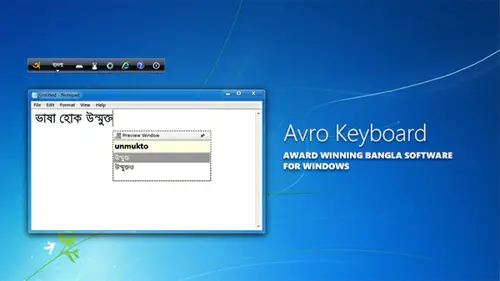
Avro keyboard shows you both language of caracters English and Bangla. You can use English words as like
as all keyboard. But for Bangla word you have to install a bangla writing software like "avro keybord" & "Bijoy"
After install you have to run it with ctrl+alt+b and if your keyboard shows you the Bangla caracters try to start writing at Ms word..
Then you can Write in bangla.
i prefer "Bijoy" the most.
Thank you
This software showcases typing methods used in India and Bangladesh. The Avro Keyboard was created on March 26, 2003 during the Independence Day of Bangladesh. The present version supports these keyboard layouts:
Additional keyboard layouts that were added in this version are:
The new version supports Microsoft Windows, Mac OS X, and Linux operating systems. It also includes its own Bangla Spell Checker. You can download it from OmicronLab | Avro Keyboard and Bangla Spell Checker! For Microsoft Windows, you can download the Standard Edition or the Portable Edition.
Regards
Sharath Reddy