No of visitors who read this post: 236
Category: MS Excel
Type: Question
Author: Doriswneil
No votes yet

Hi everyone,

From string and from a cell how would I be able to extract the numbers? For instance: the data should be kept in Cell and I want to do the extraction of only number into the cell B1.

Cell A1 Data: Purchasing Document 7500840745

And Cell B1 Data: 7500840745

Thank you for your cooperation

Comment viewing options

Select your preferred way to display the comments and click "Save settings" to activate your changes.

# (Solution Accepted)

With reference to your question what you want is, extract only the number from a cell which includes both numbers and texts.

There is no a direct way for you to extract numbers from such kind of cells in Microsoft Excel. However, I can explain a way that you can fulfill it.

I will explain it through an example.

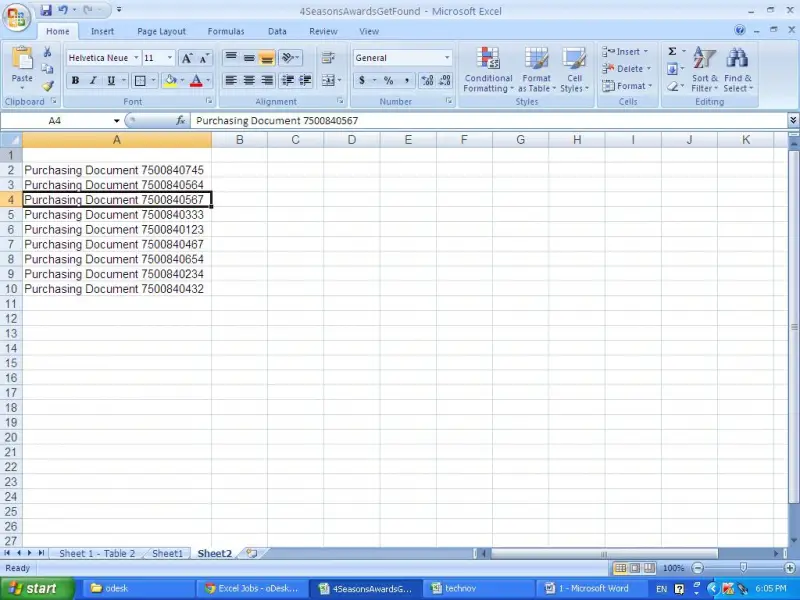
We will just take data series as mentioned. Please see the image below.

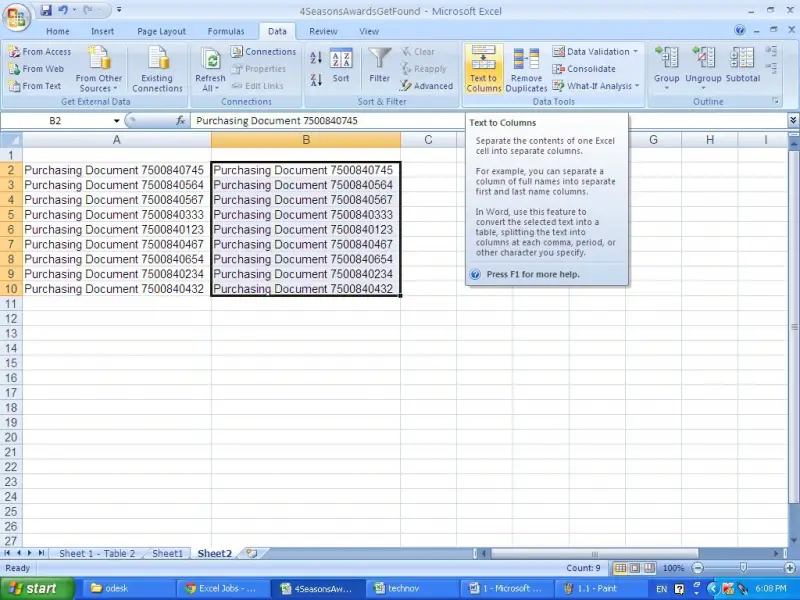
First copy and paste the same data series to column B.

And select data series in column B and click on the text to column in data tab.

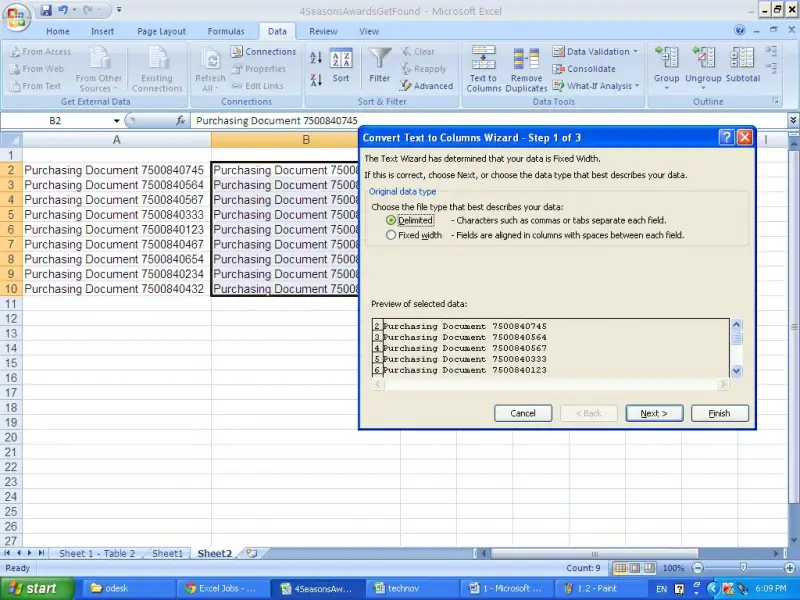
Now click on the “Delimited” and click “Next”.

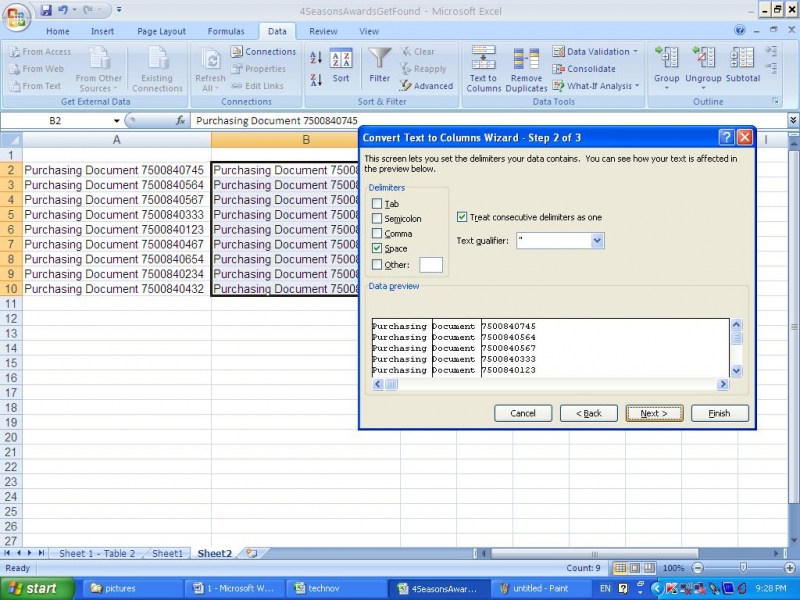
Click on the “space” check box then click “Next” and “Finish”.

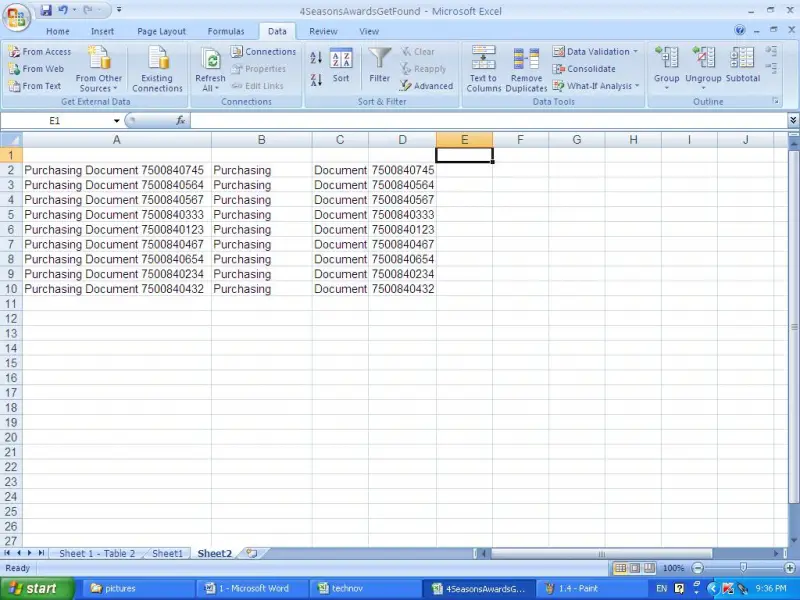
You can see the three words which were in column A are now in three separate columns (i.e. Column B, C, D)

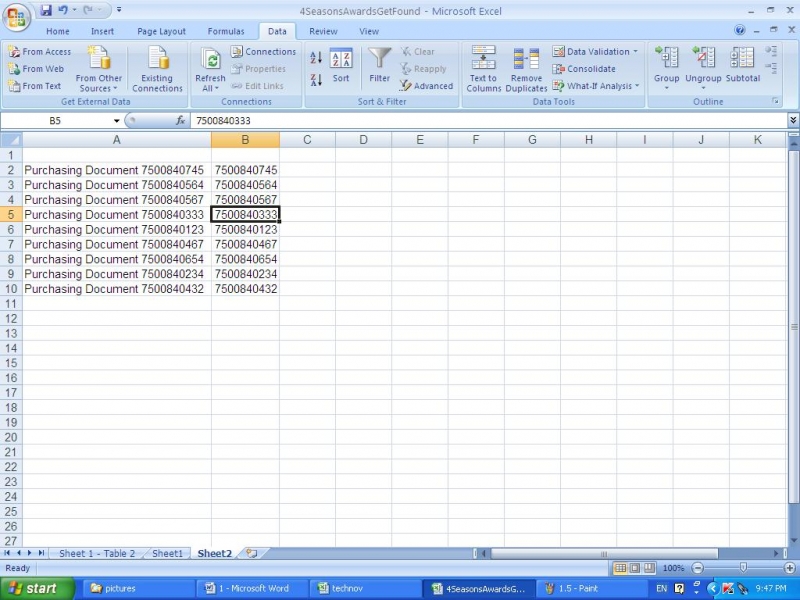
Then delete column B,C then the numbers will be appeared in Column B as follows.

I believe this answer will be helpful to you.

#

I have read your post and I think what you’re asking is how to extract the numbers stored in cell A along with the text attached to it, right? Well I have the solution for that.

Just key-in ‘=RIGHT(A2,10)*1’ on your cell B1 then drag it down to where you’re comfortable and see that the numbers with text on cell A is converted to numbers again in cell B without the text.

Hope this helps.