


Error shown while installing HAP on a vanilla server 2008

Hi to all,
Yesterday, I found an ample set of instructions on the internet about how to install HAP on a vanilla server 2008 with >NET4 and IIS7.
Following these instructions, I successfully started the installation, but I faced an error when I reached step 28. The step was to double click on the IIS authentication, but unfortunately I got an error.
The screenshot of the error is attached below:
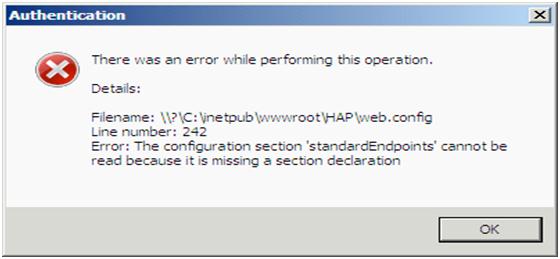
It reads as:
Authentication.
There was an error while performing this operation.
Details:
Filename \?C:inetpubwwwrootHAPweb.config
Line number: 242
Error: The configuration section 'standardEndpoints' cannot be read because it is missing a section declaration
I surfed through the internet and found a similar problem with the nested .NET 2.0 applications, but in my system, I have all my application tools configured to use version 4.
Can anyone please guide me what as to the problem might be? I have searched a lot, but found no solution. Let me tell you one thing that step 21 was not applicable in my case. So, I ran icacls c:inetpubwwwroot /grant "IIS APPPOOLHAP"(OI)(CI)(RX) and added the permissions afterwards.
Does the problem has anything to do with my OS? I am using OS Unix.
Waiting for your helpful suggestions.
Thanks and best wishes.












