No of visitors who read this post: 917
Type: Question
Author: Salie Givson
Your rating: None Average: 1 (1 vote)

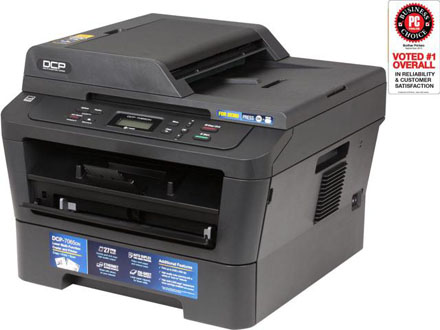
i seriously need to install the brother DCP-7065DN drivers on my Windows 7 computer 64 bit. But it just keeps giving me error message during installation. need immediate solution.
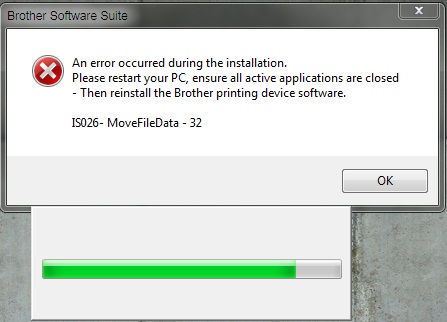
an error occurred during the installation.

please restart you PC, ensure all active applications are closed

- then reinstall the Brother printing device software.

ISO26 - MoveFileData - 32

Comment viewing options

Select your preferred way to display the comments and click "Save settings" to activate your changes.

#

Hello Salie,

The error you are getting occurs in the event that you double-click the wrong setup.exe file. To resolve it, you will need to do the following:

  • On your computer, you will need to locate the file that you saved the setup file in.
  • Double click on the "Setup.exe" to start the installation.

The other possible causes to the error that you are getting could be the following:

  • The Setup you are using to install the Brother Software Suite could be corrupt, and therefore you will need to go online and download a fresh setup that does not have problems.
  • The application may not be compatible with the operating system that you are using, therefore you will need to check that and make some changes if necessary.

Regards,

Carl

# (Solution Accepted)

Dear User,

You should get this error for couple of reasons. But try below steps to solve this.

First make sure the driver you have downloaded supports the 64bit operating system

If not download the compatible version and it should fix your problem.

If it doesn’t fix your problem, I recommend you to download this driver again to your pc and reinstall it with administrator privileges and disable the Antivirus program before the installation.

Thank you 

#

Ok, I had the same issue on a computer at work. First thing I noticed was that it seemed to error out in the install after it was trying to update the program. So I figured it might be something in the update that was causing the issue. So here is what I did...

When you try to install make sure to click on the custom setup.

Leave everything checked on the select features screen, but be sure to click on the settings button.

Disable both the Brother Solution Center Link and the Brother Creative Center Link.

Click next, and follow the rest of the prompts until the install is complete.

The program should install fine after this. Hope this works for you as well.