Skype Error 1603 during installation
Asked By
0 points
N/A
Posted on - 03/19/2012

Hi Folks,
At the time of updating Skype, I sometimes receive error 1603. Because of the previous uninstall of Skype this error occurs when the PluginManager.msi file is not found in the system.
Microsoft bought Skype recently, and it is a service of an immediate messaging, which supports to calls to landline and mobiles for a fraction of the price of a normal phone call across the globe. Are they going to improve it or are they going to ruin it. We shall see.
Thanks
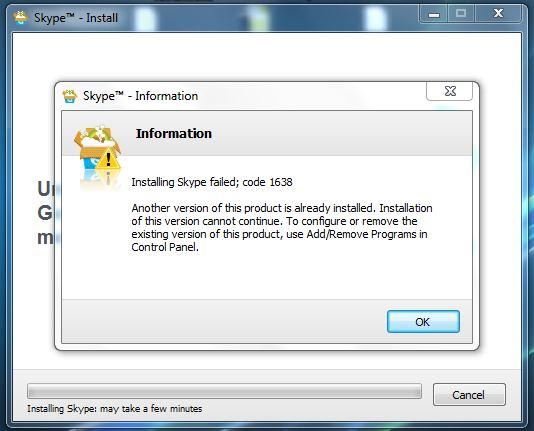
Skype™ – Information
Information
Installing Skype failed; code 1638
Another version of this product is already installed. Installation of this version cannot continue. To
configure or remove the existing version of this product, use Add/Remove Programs in Control Panel.