Mediaportal error – Looking for solution

Hi guys,
I have been using Media portal on my system for about 2 years now, and presently I am using its version 1.2.
Recently I have started getting the following error on my screen without any reason:
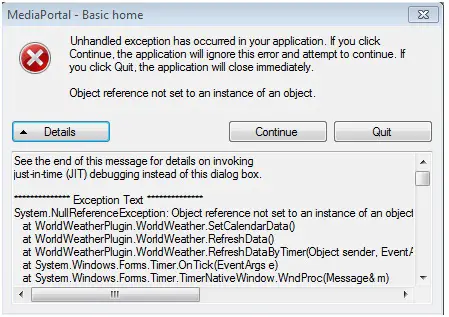
MediaPortal – Basic home
Unhandled exception has occurred in your application. If you click Continue, the application will ignore this error and attempt to continue. If you click Quit, the application will close immediately.
Object reference not set to an instance of an object.
I have not changed anything on my system recently so I don’t understand the reason of this error coming on my screen.
There's another problem as well. The error does not appear on any specific time. It pops up on the screen at random. When I start mediaportal, the error may pop up after an hour, 2 hours or may be after half an hour or so. I just waited for the error for half hour first and it didn’t pop up. I came back to check after sometime and the error was there. I don’t know why this is happening.
I cannot detect the reason for this error.
Can the logs be of any help in this situation? I created the logs but when I did so the error didn’t pop up because it has no fixed time.
Please help me out to resolve the problem. I am now getting frustrated because I don’t find any reason for the error to pop up.
Has anyone else encountered such a problem? If yes please do let me know.
I'll be really thankful
Regards
Mark