
Friends,
I have Microsoft Silverlight Version: 4.0.60310.0 installed into my system.
When I try to navigate 'worldwidetelescope.org' that uses silverlight, the website drops and following message encounters.
I think its due to the Silverlight is not working properly.
But how can I resolve the problem?
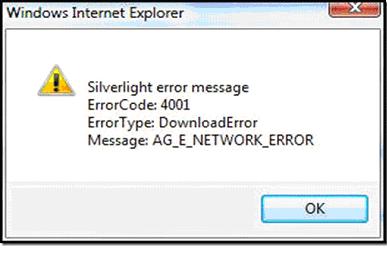
Windows Internet Explorer
Silver error message
ErrorCode: 4001
ErrorType: DownloadError
Message: AG_E_NETWORK_ERROR
Thanks,
Albert
Answered By
lee hung
75 points
N/A
#94946
Windows Internet Explorer – Silver error message
Hi Albert,
If you using a beta version of silverlight, I will suggest that you try upgrading to a full version and see if the problem is going to be solved. Sometimes beta versions have their drawbacks, and this could just be one of them.
Otherwise check to ensure that you have a stable internet connection speed and then refresh the status of your browser and see the response.
Check for any proxy settings that might be hindering the process from working properly. If you had installed any Silverlight updates you might consider removing them because they too may be causing the problem,
Hope this helps.
____
Regards,
Lee Hung.















