Hi Experts,
Here is my Laptop configuration:
Sony Vaio VGN-FW378J
The Bluetooth installed is: WIDCOMM Bluetooth Software 6.2.0.5800
Windows Vista Home Premium
When I start my laptop, I have seen the following 2 error messages regularly.
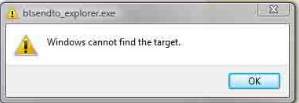
btsendto_explorer.exe
Windows cannot find the target
OK
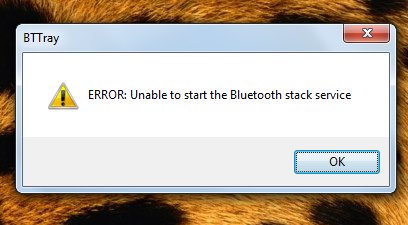
BTTray
ERROR: Unable to start the Bluetooth stack service
OK
Then I searched in goggle, and I think may be the problem in Bluetooth.
Also,I installed the software again but same result. Need some details.
Thanks.
Windows Cannot Find the Target
I also got this problem before but i managed to fix it. Try Google Chrome as an example:
To create a shortcut button, you can try the following workarounds:
1. Drag the Google Chrome icon to the shortcut button where you want to attach it.
2. If you will use the Vaio Control Center, I guess that both solution will work and the issue with the "Windows Cannot Find the Target" error will be fix after dragging the icon from the first case or where the path will be located in the second case.
I used to launch the Google Chrome in the Programs from Windows Explorer. Then I will just drag it from the Start menu. Before, I will drag the google Chrome icon from the shortcut located on my desktop then if I remove the desktop shortcut, Windows could not locate the target.
Hope this helps.
Windows Cannot Find the Target
Dear sharonfaviles,
Your problem will be solved if you have no risk in formatting your laptop.
just do it then the error will be left to be displayed .
After formatting just don't forget to install your drivers with original motherboard CD .
Windows Cannot Find the Target
Hello !
I think the error message upon Windows boot?
You are not alone! This is a common problem, and now I'll show you how to solve it completely, once and forever.
Here is fast and easy solution:download (windows cannot find) and fix your problem I hope that i gave you helpful information
Thanks in advance!
Windows Cannot Find the Target
Both errors are related to each other. The second error is caused by the first error. That is why you are getting both errors on every startup.
The first error clearly indicates that it can't find a directory where the Bluetooth service is installed in your system. As it can't find the directory, so the second message comes up that it cannot start the Bluetooth device because it was unable to find it.
The best thing to do in this situation is to reinstall the Bluetooth drivers and the bluetooth software that came with the manufacturer's cd. Install it and update it too from the internet.
Go to WIDCOMM website and download the software from there.