
Hi all, In Windows 8 plus IE10 plus Office 2010,when we attempt to start an online word document in the internet explorer- we find this error message:
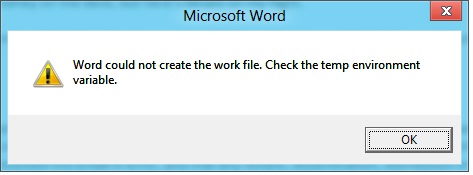
Microsoft Word
Word could not create the work file. Check the temp environment
variable.
OK
Also after getting this error message, the document starts but we cannot save it because it gives similar message again. Please help me to solve it. Thanks a lot.
Windows 8 plus IE10 plus Office 2010
Hello Suttie,
To resolve the issue you are getting with word, use the following workaround:
You will need to change the location for the Temporary Internet Files folder for Internet Explorer on your computer using the following steps:
-
Go to Internet Explorer, and then click Internet Options on the Tools menu.
-
Locate the Internet Options dialog box and then click the General tab.
-
Go to the Browsing history section and click Settings.
-
Next go to the Temporary Internet Files and History Settings dialog box and then click Move Folder.
-
Locate the Browse for Folder dialog box, and the choose the following location: <Drive:>Users<user name>AppDataLocalMicrosoftWindowsTemporary Internet Files.
-
After that click OK to close the open dialog boxes, and then restart the computer.
Regards,
Carl















