Asked By
mirza133
0 points
N/A
Posted on - 09/23/2011

In Windows XP operating system I used Windows Movie Maker to edit video.
Now I am using Windows 7 operating system.
I searched a lot to find the windows movie maker but I can not find out the movie maker program.
I want to know where I can find my movie maker program.
If I don't find it, what should I do or which program do I have to install?
Where can I find Windows movie maker in Windows 7?
Hi there,
I think you were not searching well enough in Windows 7 to find windows movie maker. Search sweetly and carefully.
You will be very happy to hear that Windows movie maker is not included in Windows 7.
Sorry for kidding. But what you see now that’s right. Movie maker is not included in Windows 7.
But you can still edit videos with other third party software. There are many video editing software in the market.
Just install one and use it to edit video.
The good news is that Microsoft has Windows movie maker for Windows 7.
I don’t know why it isn’t included.
You can install it on Windows 7.
Where can I find Windows movie maker in Windows 7?
Hi,
Here is a bad news for you that Windows Movie Maker is not installed on Window 7.
So you cannot search it. Sorry for this. But here is good news that you can easily install it in your windows.
It is free of cost. Movie maker is the best software to edit movies.
To install it just follow the given steps:
-
Go to the Microsoft web site.
-
Now search for windows live essentials.
-
Windows live essentials include, windows movie maker, windows live messenger and other software.
-
You can download them all from there.
-
However if you don’t want to install all the software, you can still download windows movie maker. You can find it at this link: Movie Maker Microsoft Windows
-
After downloading install it and enjoy using it.
You can also install it from windows update. Just run windows update and chose windows live essentials.
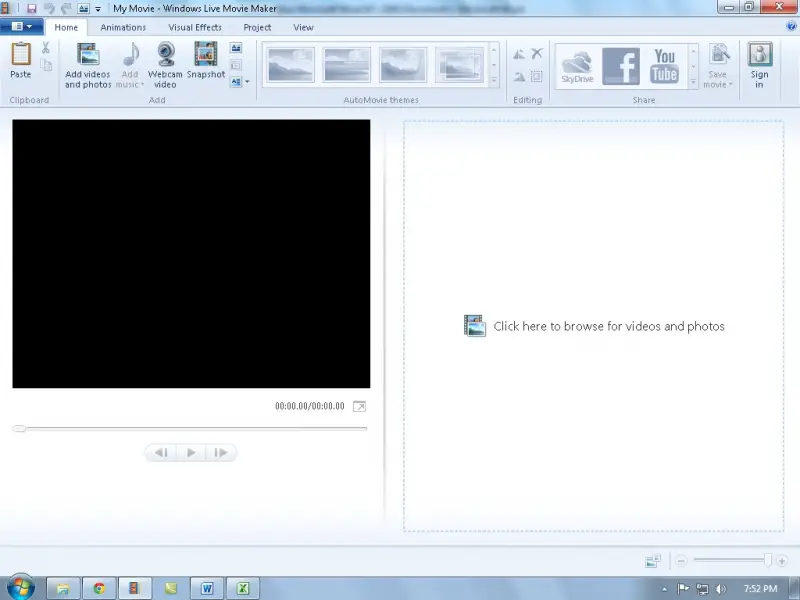
Where can I find Windows movie maker in Windows 7?
Windows Movie Maker is not included in Microsoft Windows 7 but you can get it by installing Windows Live Essentials 2012. Though support for this suite has ended, the programs will continue to work. If you have a compatible computer, try downloading Windows Live Essentials 2012.
It supports Windows 7, Windows 8.x, and Windows 10 including Windows Server 2008 and Windows Server 2008 R2 (32-bit only) both 32-bit and 64-bit. It requires 1.6 GHz or faster Intel Pentium 4 or equivalent AMD K8 processor, 1 GB RAM, Microsoft DirectX 9.0c-compatible video card with Shader Model 2 support, and 1024 × 576 minimum screen resolution. Windows Live Essentials is the former name of Windows Essentials.
Windows Essentials 2012 includes the following applications:
- Family Safety – this feature is for Microsoft Windows 7 only.
- OneDrive – this feature was later integrated to Windows 8.1 or Windows 10.
- Writer
- Mail
- Movie Maker
- Photo Gallery
Windows Essentials 2012 reached end of support on January 10, 2017.
















